Free Fart Counter Overlay for Stupid, Reliable Stream Comedy
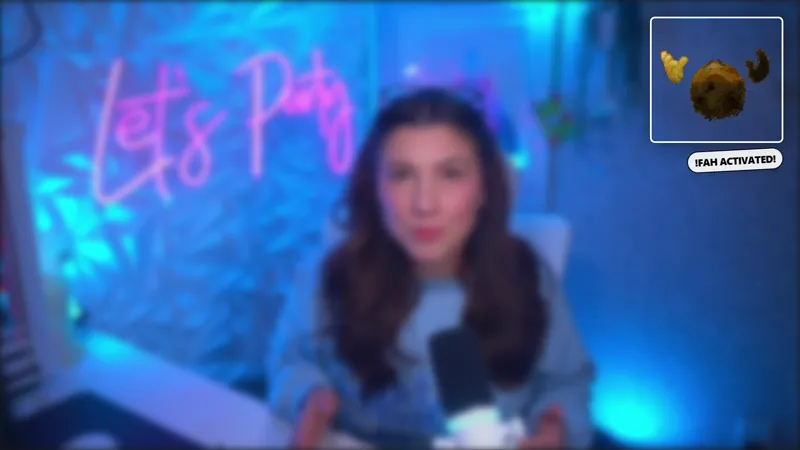
The dumbest (and most fun) running joke for your stream. Chat triggers a random fart SFX and a burst of emojis on screen, and a counter at the corner tracks every one.
By Meld
Get Fart Counter free
Included with Meld Studio. Or stay in OBS with Spark Plug.
It is exactly what it sounds like, and that is the point. Fart Counter is the dumbest running joke you can install on a stream and one of the most reliably funny. Chat types !fart, a random fart SFX plays, a burst of emojis spawns on screen, and a small counter at the corner ticks up by one. It runs all stream, builds across stream, and is somehow still funny on the four hundredth fire.
It is free with Meld Studio. No watermark, no setup fee, no subscription required.
What the commands do
Two chat commands run the overlay. !fart fires the joke: a random fart SFX from the set, a burst of emojis on screen, and +1 on the counter. !fartzero resets the counter back to zero, which is useful for clean segment breaks, weekly resets, or starting a fresh tally on a new stream.
The counter is the load-bearing detail. A single fart sound is a one-second laugh. A counter that climbs across the entire stream is a community-built bit. By the end of a long session, the number itself becomes a callback. New viewers landing on the channel see “FARTS: 247” in the corner and have a small mystery to solve.
The command works on Twitch, YouTube Live, Kick, and TikTok Live at once. Meld signs you in once and reads chat from every platform you stream to, so the counter tracks across all of them rather than separating by chat source.
When this fits
Fart Counter is built for variety streamers, Just Chatting hosts, and co-op groups whose stream energy already runs loose. Party games are the natural fit. Long Just Chatting blocks benefit from the recurring callback, especially when the room is large enough that a single bit needs to keep refreshing itself. Subathons use it as a community joke that lasts the duration of the event.
It is intentionally low-stakes. The counter does not need to mean anything. It just needs to climb.
Customizing with Meld Spark
The defaults ship ready, but Meld Spark, the AI overlay editor inside Meld Studio, reshapes the overlay from plain English. A prompt like ‘Only allow !fart once every 10 seconds, swap to skull and fire emojis, and flash a “Brown Note” callout at every 100 triggers’ adds a cooldown, swaps the emoji palette, and wires a milestone callout in seconds. You can change the SFX set, restrict the command to subs, or rename the counter for a different running joke entirely. Changes persist between sessions.
Adding it to your stream
Download Meld Studio and drop the Fart Counter into a scene with no configuration. If you already run OBS, the free Spark Plug for OBS plugin loads the overlay into your existing OBS layout as a browser source, with the same chat commands and the same counter ticking across every platform you stream to.
Use cases
-
Variety and Just Chatting bits that need a release valve
Long Just Chatting blocks tend to drift, and a single dumb running joke often holds the room better than a planned segment. !fart is that joke, with the counter doing the work of turning a one-off into a recurring callback that grows across the stream.
-
Co-op streams with a chaotic group dynamic
Fall Guys, Among Us, party games, and any co-op where the team chat is already off the rails. !fart adds a ticking running total that the whole group reacts to, with the counter at the corner becoming part of the lore by the end of the session.
Chat commands
Frequently asked questions
Is the Fart Counter overlay free?
Yes. The Fart Counter is included free with Meld Studio. No watermark, no paywall, no usage cap. Drop it into a scene and !fart starts firing the SFX, emojis, and counter immediately.
What do the commands do?
!fart plays a random fart SFX, spawns a burst of emojis on screen, and adds +1 to the running counter at the corner. !fartzero resets the counter back to zero, useful for breaking between segments or starting a new tally for a fresh stream.
Which platforms does it support?
Twitch, YouTube Live, Kick, and TikTok Live are all supported. Meld signs you in once and reads chat from every platform you stream to, so !fart from any connected chat fires the same SFX, emoji burst, and counter increment.
Does this work in OBS Studio?
Yes. Spark Plug for OBS loads the Fart Counter into your existing OBS scene as a browser source, and Meld Spark lets you swap the emoji set, throttle the trigger, or add a milestone callout from a plain-English prompt in seconds.
How do I keep chat from spamming the command?
Meld Spark, the AI overlay editor in Meld Studio, throttles the trigger from plain English. A prompt like 'Only allow !fart once every 10 seconds, swap to skull and fire emojis, and flash a "Brown Note" callout at every 100 triggers' adds a cooldown, restyles the visuals, and wires a milestone in seconds.