On this page
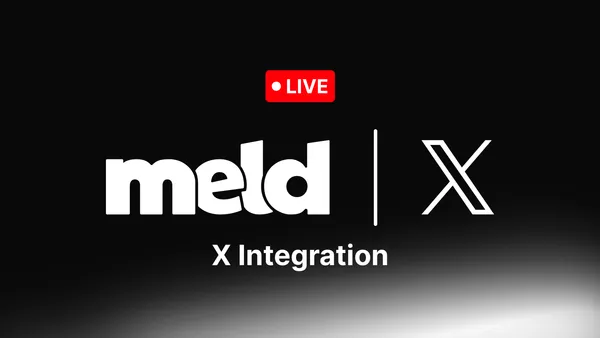
Big news for anyone who's been asking us about this: X is officially here! You can now go live on X (Twitter) straight from Meld Studio, right alongside YouTube, Twitch, Kick, and TikTok.
This one's been on our list for a while, and we're genuinely excited to finally ship it. No separate software, no juggling two streaming apps, no missing chat while you're heads down on another platform. Just add X to your lineup and go.
X Integration Comes to Meld
X joins Meld Studio's existing simulcast destinations: YouTube, Twitch, Kick, and TikTok. That means you can now go live to all five platforms at once (if you have a TikTok stream key), from one stream setup, with on dashboard to manage everything.
You'll also be able to see X chatters right in Meld Studio's multi-chat dock, next to your other platform chats. No more switching tabs or alt-tabbing to a browser to see what your X audience is saying mid-stream.
What You Need Before You Start
Before connecting X to Meld Studio, make sure you have the following:
- A verified X Premium or Premium+ subscription. Desktop livestreaming through any third-part encoder (this includes Meld Studio) requires a paid tier. Free and Basic accounts cannot access the Media Studio Producer, which is where the Stream Keys are generated.
- Meld Studio installed on Windows or macOS (free download).
- A stable upload connection, especially if you plan to multistream to X alongside other platforms at the same time.
How to Go Live on X from Meld Studio
Follow these quick steps to get started on X:
- Go to Output Settings in Meld
- Connect your X account. You'll be prompted to log in and authorize Meld Studio to access your account.
- Create an X Source to generate a stream key. After you log into X in Meld you will see a new box appear. Title your Stream Key and click Generate Key.
- Go live. Your stream will go out to X along with any other platforms you've selected.
Once you're live, open the multi-chat dock to watch X chatters come in right alongside your other connected platforms.
Twitch Enhanced Broadcasting Now Available for AMD and MacOS Users
This update is also expanding Meld Studio's support for Twitch Enhanced Broadcasting, and it's a big one for those who have been asking.
Twitch Enhanced Broadcasting lets your computer encode multiple quality versions of your stream at once, so Twitch can automatically deliver the best-matching version to each viewer. Someone on a fast connection gets the full 1080p experience while someone on a weaker connection still gets a smooth stream that allows them to still view the stream.
Previously, this feature wasn't available to everyone. With this update, streamers with a supported AMD GPU or on MacOS now have access to Twitch Enhanced Broadcasting in Meld Studio, alongside the NVIDIA users who already had it.
What you need to use Twitch Enhanced Broadcasting:
- A supported AMD GPU or MacOS device, now supported alongside NVIDIA setups.
- The latest version of Meld Studio, plus up-to-date AMD Adrenalin drivers if you're on an AMD GPU.
Conclusion
Going live on X no longer means juggling a separate browser tab, an RTMP connection, and a production setup that doesn't talk to the rest of your stream. With Meld Studio, X slots in as another output alongside Twitch, YouTube, Kick and TikTok. Broadcast to X with the same quality as everywhere else.
With Twitch Enhanced Broadcasting now fully supported on AMG GPUs and MacOS, more creators than ever can deliver adaptive, multi-quality streams without being locked into a specific hardware setup.
FAQ
Can I stream to X and other platforms at the same time in Meld Studio?
Yes. X is now one of five destinations that have direct integration with Meld Studio, alongside YouTube, Twitch, Kick, and TikTok.
Can I see X chat while streaming?
Yes. X chatters show up in Meld Studio's multi-chat dock along with your other connected platforms.
Do you need X Premium to go live on X?
If you are broadcasting from a desktop using third-party software (like Meld Studio), then you will need a verified X Premium or Premium+ subscription. This requirement is set by X.
Can I go live on X for free?
Yes, but only from the X mobile app. Desktop livestreaming through encoder software requires a paid Premium or Premium+ subscription.
Do I need a certain number of followers to go live on X?
No minimum follower count is required to livestream on X.
Can I reuse a stream key from another platform (like YouTube or Twitch) for X?
No. X requires its own unique source created specifically for their platform. Each platform needs its own dedicated RTMP source.
Does X notify my followers when I go live?
Yes! When a scheduled or live broadcast starts, X sends out a notification to followers, similar to a regular post going live in their timeline and notifications tab.
Should I stream only to X, or multistream to other platforms too?
Most creators get more value multistreaming. Since X audiences often differ from Twitch or YouTube audiences, going live to multiple destinations at once maximizes reach without any extra production work.
Does Meld Studio support Twitch Enhanced Broadcasting on AMD GPUs and macOS?
Yes. As of this update, Twitch Enhanced Broadcasting is fully supported for streamers on AMD GPUs and MacOS, in addition to the existing NVIDIA support.