On this page
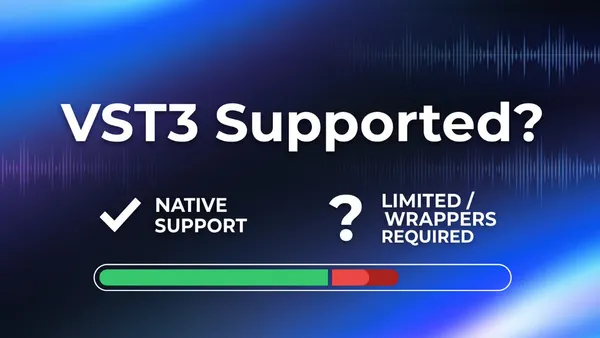
If you've ever tried to load a VST3 plugin into your streaming software and hit a wall, you're not alone. Most popular streaming tools were built around older audio standards, and VST3 support has been a glaring blind spot for years. The result: creators who rely on professional-grade compressors, EQ plugins, noise gates, or vocal processors have to choose between their tools and their workflow.
The good news is that the landscape is shifting. A small number of streaming applications now support VST3 either natively or through a reliable bridge, and knowing which ones do (and how well) can save you hours of frustration.
What this guide covers: which streaming software supports VST3 audio plugins, whether that support is native or requires a workaround, and which option gives you the cleanest experience if audio quality is a priority.
Why VST3 Support Matters for Streamers
VST3 is the current standard for professional audio plugins, developed by Steinberg as a successor to the aging VST2 format. The differences are not cosmetic.
VST3 vs. VST2: What Actually Changed
| Feature | VST2 | VST3 |
|---|---|---|
| Dynamic channel support | No | Yes |
| Silence detection (CPU savings) | No | Yes |
| MIDI learn support | Limited | Full |
| Plugin state saving | Basic | Advanced |
| Active development | Discontinued | Ongoing |
Steinberg officially discontinued VST2 licensing in 2018. Since then, most plugin developers have moved to VST3-only releases, meaning a growing library of modern audio tools simply will not load in software that only supports the older format.
The practical impact: if you use tools like FabFilter Pro-Q 3, iZotope RX, Waves plugins, or any AI-powered noise gate, there is a real chance you are running VST3-exclusive versions. Streaming software that cannot load them forces you into one of two bad options: downgrade to an older VST2 version (if one exists) or route your audio through a separate DAW, adding latency and complexity to your setup.
For podcasters, musicians streaming live performances, and any creator who takes audio seriously, native VST3 support is not a luxury feature. It is a baseline requirement.
Streaming Software With VST3 Support: An Honest Comparison
Here is how the most widely used streaming applications stack up when it comes to VST3 support.
Meld Studio: Native VST3 Support
Meld Studio is the clearest answer to the question in this article's title. It is a free, all-in-one streaming and recording application for Windows and macOS with VST3 plugin support built into its audio engine, currently enabled through an experimental features toggle. Once switched on, VST3 plugins load directly into Meld's audio mixer the same way you would apply a built-in filter. No third-party bridge, no separate installation, no routing workarounds.
The audio mixer in Meld Studio supports up to 32 input channels and lets you apply VST3 plugins to any audio track. Because plugins run inside Meld's own audio engine rather than through an external host, you get the low-latency, low-friction experience of native support even while the feature is in its experimental phase.
How to enable VST3 in Meld Studio:ST3 in Meld Studio:
- Hold Shift and click the M logo in the bottom-right corner of the interface
- Keep holding until the experimental features window appears
- Enable VST3 Plugin Support and restart Meld
- Click the + icon on any audio track to add a VST3 effect
- To add custom plugin paths, go to Settings and specify additional VST3 search locations
Once enabled, every VST3 plugin detected on your system shows up directly in the audio track effects list, right alongside Meld's built-in filters. There is no extra layer between your plugin and the stream.
Beyond VST3, Meld also includes built-in multistreaming to Twitch, YouTube, Kick, and other platforms at no cost, multi-canvas support for landscape and portrait layouts, and 4K recording. It is built for creators who want professional audio without a professional-grade headache.
OBS Studio: VST2 Only (VST3 Requires a Third-Party Plugin)
OBS Studio is the most widely used streaming software in the world, but its native audio filter system only supports VST2 plugins. The reason is historical: when OBS added VST support, the VST3 SDK was not GPL-compatible. Steinberg later released a GPL-compatible VST3 SDK, and the OBS project even posted a $3,000 bounty for a community developer to implement native VST3 support, but as of 2026 it has not shipped as a built-in feature.
The workaround most OBS users rely on is atkAudio, a free plugin host that bridges VST3 plugins into OBS's filter system. It works on Windows, macOS, and Linux, and requires a recent version of OBS Studio. The process involves installing atkAudio separately, adding it as a filter to your audio source, and scanning for your installed VST3 plugins through its interface.
Bottom line on OBS + VST3: it works, but it requires an extra installation step and an additional layer in your audio chain. For users who are already comfortable with OBS and do not mind the setup, atkAudio is a solid bridge. For anyone starting fresh or prioritizing simplicity, it is an unnecessary friction point.
Other Streaming Software
Most other mainstream streaming tools offer limited or no direct VST3 support:
- Streamlabs Desktop is built on OBS under the hood and inherits the same VST2-only limitation. VST3 workarounds that work in OBS may or may not transfer cleanly.
- XSplit Broadcaster has an audio mixer with some filter support, but does not offer native VST3 plugin hosting.
- Wirecast has historically offered more advanced audio routing than OBS, with some VST support, though VST3 availability varies by version and platform.
- vMix is a Windows-only production tool that supports VST plugins in its audio mixer; VST3 support has been reported by users but is not prominently documented as a native feature.
The pattern across most of these tools is the same: audio plugin support was built around VST2 when these applications were first developed, and VST3 has been slow to arrive as a first-class feature.
Quick Reference: VST3 Support by Streaming Software
| Software | VST3 Support | Type | Platform | Cost |
|---|---|---|---|---|
| Meld Studio | Yes | Native | Windows, macOS | Free |
| OBS Studio | Via atkAudio | Bridge/plugin | Windows, macOS, Linux | Free |
| Streamlabs Desktop | Via atkAudio | Bridge/plugin | Windows, macOS | Free / Paid tiers |
| XSplit Broadcaster | No | None | Windows | Paid |
| Wirecast | Partial/varies | Varies by version | Windows, macOS | Paid |
| vMix | Reported | Not officially documented | Windows only | Paid |
Native vs. Workaround: Why the Difference Matters
It is worth being direct about the distinction between native VST3 support and a bridged workaround, because they are not the same experience.
What You Get With Native Support
When a streaming application supports VST3 natively, plugins are loaded directly into the application's audio engine. This means:
- Lower latency - no extra processing layer between the plugin and the audio output
- Better stability - the application manages the plugin lifecycle directly, reducing crash risk
- Simpler setup - plugins appear in the interface without additional software
- Consistent behavior - the plugin behaves the same way it would in a DAW
What You Get With a Bridge
A bridge like atkAudio adds a plugin host layer between the streaming software and the VST3 plugin. It works well in most cases, but there are real tradeoffs:
- Additional software to install, update, and maintain
- An extra processing node in the audio chain, which can add latency
- Potential compatibility issues when either the host application or the bridge updates
- More steps to configure for each plugin
For a creator running a simple setup with one or two plugins, the difference may be minimal. For someone running multiple VST3 effects across several audio tracks, the added complexity compounds quickly.
The real question is not just "does it work?" but "how much friction am I willing to accept?" If you are building a professional streaming or podcast setup, native support is worth prioritizing from the start.
Note: Software capabilities change with updates. Always verify VST3 support in the current version's documentation or release notes before committing to a setup.
The Bottom Line
If VST3 support is a requirement for your streaming setup, the field narrows quickly. Most popular tools either do not support it at all or rely on a community-built bridge that adds friction to the workflow.
Meld Studio is the only major free streaming application with VST3 support built directly into its audio engine. It is free, available on Windows and macOS, and does not require any additional plugins or workarounds to load your VST3 effects. For creators who want professional audio quality without the setup overhead, it is the most direct path.
If you are already running OBS and do not want to switch, the atkAudio bridge is a workable solution. It is free, well-documented, and supported by Elgato's own guides. Just factor in the extra setup time and the additional dependency in your audio chain.
The short version: if you are starting fresh and audio quality is a priority, start with Meld Studio. If you are already on OBS and need VST3 today, atkAudio gets you there. Either way, you no longer have to accept that streaming software and professional audio plugins cannot coexist.