On this page
Designing stream overlays and alerts can feel harder than it should. You know what you want your stream to look like but translating that concept into an actual creation is where most creators tend to get stuck. The idea travels through your fingers, through words, and somewhere in that translation, something gets lost.
We created Spark to help close that gap for our creators.
Spark is Meld Studio's built-in creative utility that turns your written descriptions into fully realized visuals in your scenes. It's fast, flexible, and in the right hands, it's a genuine extension of your creative voice. But like any powerful tool out there, you get what you put in.
This guide will help you figure out what to put in to bring your creativity to life.
Why Your Descriptions Shape Your Stream
Spark doesn't guess. It works from what you give it. A vague prompt returns a vague result. A specific, intentional prompt returns something that feels like you made it. That's because in the most important sense, you did make it!
Think of prompting as a skill, not a formula. The more deliberately you practice it the more fluent you become. The more your outputs start to feel like extensions of your design instinct rather than happy accidents.
Let's break down exactly how you write prompts to ensure that they are going to work the way you expect.
The Four Elements of Great Prompts in Spark
Every effective Spark prompt is built on four components. You don't always need all four, but understanding each one gives you the vocabulary to build with precision.
Subject: What Is It?
This is the core of your prompt. What are you actually creating? Be specific about the primary focus.
Weak
"a chat box"
Strong
"a stream chat overlay panel with rounded corners, a semi-transparent dark background, and a scrolling list of viewer messages"
The more clearly you name the subject, the more purposefully Spark can build around it.
Style: How Should It Look?
This is your visual language. Are you wanting to create something photorealistic? Hand-drawn? Flat and graphic? Name the aesthetic directly.
Weak
"make it look cool"
Strong
"cyberpunk UI aesthetic, neon blue and purple glow, sharp geometric edges, dark background with electric accent lines. It's like a high-tech HUD from a sci-fi game"
If you have a specific reference in mind, a mood, genre or an era, include it. Spark responds well to stylistic context.
Mood & Atmosphere: How Should It Feel?
Visuals carry emotion and mood is often what separates a forgettable image from one that stops the scroll. Tell Spark how the final result should feel.
Weak
"a dark overlay"
Strong
"moody and immersive, deep charcoal tones with a subtle vignette, the kind of clean darkness that keeps a viewer's focus locked on the stream with nothing competing, and nothing distracting"
Don't be afraid to write poetically here. The more vivid your language, the more vivid your output.
Technical Details: How Should It Be Composed
These are the craft-level instructions: aspect ratio, framing, camera perspective, lighting conditions, color palette, or rendering finish. These details tell Spark not just what to make but how to frame it.
"lower-third placement, wide and slim proportions, transparent background, soft edge glow in brand purple, clean sans-serif label area on the left"
Think like a director giving notes to a cinematographer. The more specific your technical direction, the more your output aligns with your creative intent.
Putting It All Together
Here's how a complete prompt transforms when all four pillars come together.
Before
"a stream alert"
After
"A follower alert overlay for a gaming stream. A burst of animated-looking light rays and sparks radiating from the center, bold white text with a neon green drop shadow that reads 'New Follower!' Futuristic gaming aesthetic with sharp angles, glitch-style texture accents, dark background with electric green and black as the primary palette. Compact, horizontal layout designed to sit in the upper-right corner of the screen without blocking gameplay."
Same subject with completely different results.
How to Get Better Results in Spark
Be Descriptive, Not Directive
Spark responds to description, not commands. Instead of "make the background blue," try "a background of deep twilight blue, fading into indigo at the edges." Paint a picture with your words, that's what Spark uses as its canvas.
Lead With the Most Important Element
Put your primary subject at the very start of your prompt. Spark weighs earlier words more heavily, so leading with your hero element helps anchor the entire composition around it.
Use commas to Layer Details
Think of your prompt as a layered list of descriptors. Each clause adds depth without complicating the others. A clean structure looks like:
[Subject], [setting/context], [mood/lighting], [style], [technical details]
Avoid Contradictions
Spark will do its best to honor everything that you give it for a prompt. However, if you write "minimalist illustration, highly details and textured," those two directives are working against each other. When your prompt gives conflicting signals then the result will reflect on that. Keep your style and detail level consistent.
Use Reference Anchors
Specific stylistic references are your friend. Instead of "abstract art," try "abstract expressionism in the style of mid-century American poster art." Instead of "modern design," try "Bauhaus-influenced flat design with geometric precision and a limited three-color palette." The more specific your reference points, the closer Spark can get to what's in your head.
Describe Light Like a Photographer
Lighting is one of the most powerful variables in any visual. It sets mood, defines shape, and drives attention. Get specific:
- "soft overcast light, no harsh shadows"
- "low-angle sunlight cutting across the frame from the left"
- "single overhead light source casting dramatic downward shadows"
- "warm backlight creating a rim glow around the subject"
Iterate With Intention
Your first result is a starting point, not a final answer. When you get a result that's close but not quite right, don't start from scratch. Identify the one or two elements that need adjustment and sharpen those specific descriptors. This iterative approach is how you develop fluency with Spark over time.
Common Prompting Mistakes to Avoid
Being too short. "A stream overlay" gives Spark very little to work with. Add style, mood, and composition. The result will be dramatically more aligned with your vision.
Stacking too many conflicting styles. Choosing two or three cohesive stylistic anchors produces stronger results than listing every visual style you enjoy. Focus your aesthetic intent.
Forgetting the feeling. Technical specs without emotional context often produce technically correct but creatively flat results. Mood descriptors are not optional but necessary, as they are what gives an image its soul.
Using brand-specific language. Spark draws on broad visual concepts, not proprietary aesthetics. Describing the qualities of a style, it's texture, geometry, color behavior, compositional logic, will get you much further than a brand name.
Quick Reference: Spark Your Prompts
Use this as a starting framework and adapt it to your creative voice:
[Subject + action/state], [setting or context], [mood and atmosphere],
[lighting details], [color palette], [style reference], [composition/framing]
Example:
A subscriber alert overlay for a live stream. Bold celebratory energy of confetti burst, golden star icon, and a bright flash of light at the moment of trigger. Warm gold and white on a deep navy background. Clean and modern, slightly playful and not over the top. Text reads "New Sub!" in a thick rounded font. Compact banner format, centered on screen, designed to appear for 3-4 seconds without blocking the gameplay view.
The Bigger Picture
Spark isn't here to replace your creative instinct, but it's here to accelerate it. Every great prompt you write is an act of creative direction. You're not just typing words into a box; you're setting the stage, defining the mood, and guiding the composition before a single pixel is placed.
The more you treat prompting as a craft, something you develop, refine, and get better at, the more powerfully Spark becomes an extension of the way you see and create.
Your ideas belong on canvas. Spark is how you get them there.
FAQ
What is Spark in Meld Studio?
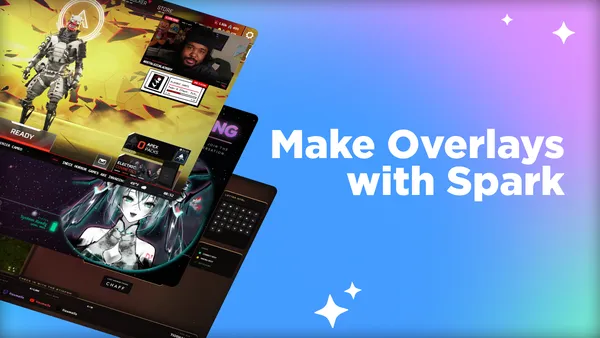
Spark is Meld Studio's built-in creative tool that generates stream graphics, overlays, mini-games, alerts, and more visual assets directly on your canvas through written description.
Do I need design experience to use Spark?
Not at all! Spark is built for creators, not designers. If you can describe what you're picturing, you can use Spark effectively. That said, the more specific your descriptions get, the better your results will be, which is a great skill that anyone can develop with practice.
How long should my Spark prompt be?
There's no perfect length, but as a general rule: one sentence is almost always too short, and a full paragraph is usually just right. Aim for 40-100 words that cover what the asset is, how it should look, what vibe it gives off, and where it lives on your canvas.
What kinds of things can Spark create for my stream?
Spark can generate a wide range of streaming assets including overlays, chat boxes, alerts, camera borders, starting soon and ending screens, lower thirds, tip goals, and more. If it belongs on a stream canvas, Spark can build a version of it.
Why does my Spark prompt keep giving me results that don't match my vision?
The most common reason is that the prompt is too vague. Spark works from the details you give it. If you write "a stream overlay," it has almost no direction to work from. Try being specific about the style (cyberpunk, minimal, cozy), the color palette, the mood or energy, and where the element will sit on screen.
What's the best way to describe a style I want but can't fully name?
Describe the qualities of the style instead of trying to label it. Think about the colors it uses, whether the edges are sharp or soft, whether it feels light or heavy, busy or clean, warm or cold.
How do I make sure my overlay doesn't cover important parts of my stream?
Include placement and size in your prompt. Tell Spark where the element belongs on screen and how much space it should take up.
How do I describe animation or motion in a Spark prompt?
Even for elements that will eventually animate, describe the motion energy in the visual itself. Words like explosive, burst of light, radiating outward, flickering glow, or sweeping line effect communicate kinetic energy that shapes how the graphic looks, whether it moves or not. Think of it as describing a frame that implies motion rather than writing animation code.
Should I include the text content I want on the asset in my prompt?
You can and often should, especially for things like alert banners or lower thirds where placeholder text helps define the layout. For example: alert banner with the text 'New Follower!' in bold white lettering. Spark will use that to proportion the design appropriately, even if you edit the actual text afterward.
How do I get a consistent look across all my stream assets?
Pick a set of core descriptors that define your brand: your palette, style aesthetic, energy level. Include them in every Spark prompt. Think of these are your prompt anchors.
Why do two similar prompts sometimes give very different results?
Small word choices carry a lot of weight. Words like minimal versus clean versus simple all suggest slightly different things visually.
My prompt is detailed but the result still looks generic. What am I missing?
Generic results usually mean generic descriptors. Words like modern, cool, professional, and sleek are used so broadly that they don't give Spark much to anchor to.
Can Spark replace my whole design workflow?
For many creators, Spark handles the heavy lifting of generating original assets that would otherwise require a dedicated design app or a hired designer. It's particularly powerful for building a cohesive stream package from scratch or refreshing an existing look quickly.