On this page
StreamElements does everything: overlays, alerts, chatbot, tipping page, loyalty points, merch store, multistreaming, activity feed. For years, that combo has been the default all-in-one setup for streamers.
But if StreamElements goes away, what are you actually going to use instead?
Good news. For every job StreamElements handles today, there's now a tool that does that one thing dramatically better. Here's the full feature-by-feature breakdown of what StreamElements covers, and which tool to swap in for each each feature.
Best StreamElements Alternative for Overlays, Alerts, and Widgets
This is the StreamElements feature most people are actually trying to replace. The SuperTheme gallery is everywhere, the alert box widget hasn't meaningfully changed in years, and the moment you want anything that isn't in the template dropdown, you're either in custom CSS or hiring someone.
1 Spark (by Meld)
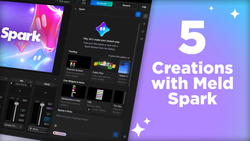
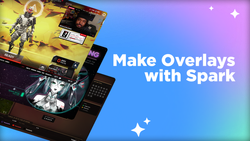
Spark generates overlays, alerts, and widgets from a prompt. You describe what you want in plain language ("a follower alert that looks like a tarot card flipping over," "a subgoal styled like a glitchy terminal," "a chat box in soft pastel with a chromatic border"), and Spark builds it. Real HTML, CSS, and JS underneath, not a static template. Keep prompting until it lands, edit the code directly, or swap pieces in and out. No preset theme gallery, no living with someone else's design choices.
The OBS plugin (Spark Plug) loads Spark overlays without a browser source, which fixes the stuttering and blank-white-page problems that show up all over the StreamElements troubleshooting forum.
Why it's #1: It's the only tool in this category that doesn't start from a template. Every other option on this list is "pick a pack and live with it." Spark builds the overlay you've always dreamed of.
2 Nerd or Die
Similar model to Own3D, more boutique-feeling catalog. Design taste is higher than the mass-market options. Still a menu, just a fancier menu.
3 Own3D
Premium overlay marketplace. Polished, animated, well-designed packs you can buy individually or via subscription. Quality is high. The catch is recognizability. Own3D packs are popular enough that you've definitely seen yours on someone else's stream.
Honorable mentions
- Visuals by Impulse: Another marketplace, leans gaming/esports aesthetic.
- Elgato Marketplace: Bundled with the Stream Deck ecosystem, lots of free packs.
Best Broadcasting Software to Replace StreamElements
StreamElements doesn't really compete here. They have SE.Live, but most streamers run StreamElements widgets inside OBS or Streamlabs Desktop. When you're rebuilding your stack, the production software is the foundation everything else plugs into.
1 Meld Studio
Modern broadcasting software, built from scratch rather than forked from OBS. Native multistreaming, unified multi-chat across Twitch, YouTube, and Kick, pro-grade effects with zero plugins, and a render path optimized for Apple Silicon and DirectX 12. Updates ship every two weeks. It's free.
The practical difference: Streamlabs Desktop eats your CPU. OBS is powerful but plugin-stitched together. Meld Studio is what happens when someone builds the production layer fresh, and it shows. It just works, and it doesn't drag your framerate down mid-fight.
Why it's #1: It's the only option on this list that was actually built recently. OBS is great, but it's nineteen years old, and that age shows. Streamlabs is essentially an OBS skin with a paywall on top. Meld is what streaming software looks like when you start the architecture over with modern hardware in mind.
2 OBS Studio
Free, open source, the most powerful option if you don't mind plugin management. The gold standard for technical streamers who want to build everything themselves.
3 Streamlabs Desktop
Streamlabs OBS, basically. Easier onboarding than vanilla OBS, heavier system footprint, paywalled features. Fine if you're already deep in the Streamlabs ecosystem.
Honorable mentions
- StreamYard: Browser-based, purpose-built for interviews and podcasts.
- Lightstream: Console streamers who don't want a capture card.
Best Multistreaming Alternative to StreamElements
StreamElements' multistreaming support has always been limited. It's a tipping-and-overlays platform first, not a distribution one. But most streamers thinking about SE alternatives are usually reevaluating their multistreaming setup at the same time, so it belongs on this list.
1 Meld Multi
Cloud multistreaming, free, unlimited destinations, zero bandwidth impact on your machine. The encoding happens server-side, so your CPU stays clean for the actual gameplay. Works with Meld Studio out of the box, also works with OBS or any RTMP source.
Why it's #1: The free tier is genuinely unlimited destinations. Restream caps you at two on free, StreamYard caps you at three on the lowest paid plan. And the cloud-side encoding is the same architecture Restream charges for.
2 Restream
The original cloud multistream service. Broad platform support (30+ destinations), reliable, well-known. Free plan is two destinations. Real multistreaming starts on paid tiers. Solid if you're already on it.
3 Aitum Multistream (for OBS users)
Free OBS plugin, sends from your machine to multiple RTMP destinations. Requires the upload bandwidth and CPU to encode multiple streams locally. Powerful and free if you have the hardware.
Honorable mention
- StreamYard simultaneous streaming: For talk-show formats where you're already in the StreamYard studio.
- Streamlabs: 2 destinations for free, then paid.
Best Multi-Chat Tool (One Window for Twitch, YouTube, and Kick)
If you multistream, you have a chat problem: viewers in three different platforms, three different tabs. StreamElements doesn't really solve this. Multi-chat is now a category in its own right.
1 Meld Studio (built in)
Unified multi-chat panel that pulls Twitch, YouTube, and Kick into one window. No add-on, no setup tax: it ships inside the app. Read and reply to all three from the same place. Use it in OBS with the Spark Plug.
2 Casterlabs
Unify all of your channel events into a single set of widgets with Casterlabs' powerful multi-account support.
3 Restream
Aggregates chat from every connected platform. Requires a Restream account, integrates well if you're already on their multistreaming.
Honorable mentions
- Streamlabs Cloudbot chat overlay: If you're already deep in their stack.
- KapChat: Basic but free.
Best StreamElements Chatbot Alternative
This is one of StreamElements' core features, and the one most people don't think they'd need to replace, right up until they do. The StreamElements chatbot is fine for small channels, but the second you have real moderation needs, it gets clunky fast.
1 Fossabot
Cloud-based, free, used by a lot of top channels. Clean dashboard, best-in-class spam filtering, audit logs, role-based mod permissions, custom commands, timers, integrations with Discord and TikTok. Reliable uptime.
Why it's #1: It does everything the StreamElements chatbot does, but better, on a dashboard that doesn't feel like it was designed in 2015.
2 Streamer.bot
Local automation tool. Lives on your machine and connects to Twitch, YouTube, OBS, basically everything. It's really more of an automation engine than a chatbot: a chat command fires a sound effect, a new sub triggers a scene change, a raid kicks off your smart lights. Extremely powerful. Real learning curve.
3 Lumia Stream
Chatbot bundled inside Lumia's stream interactivity app. Multi-platform support, standard commands and cooldowns, customizable user levels, automatic !so shout-out clips, and a built-in ChatGPT command. The differentiator is that the same dashboard wires chat commands directly into smart light triggers, sound effects, and overlay reactions. Free tier with a 7-day premium trial.
Why it's #3: Picks for streamers who want chat, lighting, and stage effects controlled from one place instead of duct-taping three apps together.
Honorable mentions
- Mix It Up: Free, open-source Windows chatbot built by streamers for streamers. Supports Twitch, YouTube, and Trovo. Has features most cloud bots don't, including text-to-speech and translation across 50+ languages. Windows-only, no Mac or Linux build.
- Wizebot: Chatbot with built-in loyalty/points, smaller but full-featured.
- Moobot: Older bot, still maintained, integrates with Twitch natively.
Best Tipping Page to Replace SE.Pay
StreamElements has SE.Pay, which is fine but locks your tipping into the same dashboard as everything else. Unbundling the tip page is one of the easiest wins. Every dedicated tipping tool is better at this than StreamElements is.
1 Ko-fi
Free, low-fee, clean public tipping page, supports tips, memberships, commissions, and digital products all under the same account. Payouts via Stripe or PayPal direct to you, no waiting period. Over a million creators use it.
Why it's #1: The fee structure is the lowest in the category for streamers, the public tip page actually looks like a real creator page (not a generic form), and the integrations with Twitch and YouTube alert tools are mature.
2 Pally.gg
Ko-fi alternative with a specific differentiator: automatic tip splitting for teams. If you stream with collaborators, mods, or a co-host, Pally handles paying everyone out without spreadsheets. Has WebSocket support for stream integration.
3 Throne
Wishlist-style tipping. Viewers buy you specific items from your Throne list rather than sending raw cash. Works well for streamers who run a community-built setup or get gifted gear regularly.
Honorable mentions
- Streamlabs Tips: Fine if you're staying in the Streamlabs ecosystem.
- Tipeeestream: Popular in Europe, fewer US streamers know about it.
- Buy Me a Coffee: Broader creator audience, works for streamers too.
Best Loyalty System Alternative (Channel Points, Currency, and Store)
StreamElements built a real loyalty engine: viewers earn points by watching, spend them in your stream store, run giveaways and contests. It's actually one of the harder features to replace because most chatbots only do part of it.
1 Streamer.bot
Most flexible option for building a custom loyalty system. You set every rule yourself: points earned per minute of watch time, multipliers for subs, redemption commands, overlay integrations. There's setup work involved, but the payoff is a loyalty system that does exactly what you want, not what a template lets you do.
2 Wizebot
Chatbot with a built-in loyalty/currency system. Less configurable than Streamer.bot, but no setup required. Toggle it on, name your currency, done.
3 Twitch Channel Points (native)
Twitch's own channel points system handles a lot of the watch-and-redeem use case natively. Free, integrated, but limited to Twitch and limited in what redemptions can do.
Honorable mention
- Streamloots: Closer to a card-pack/redemption model than a points system, but in the same loyalty/engagement category.
Best StreamElements Merch Store Alternative
StreamElements has a merch feature with their own commission structure. It's fine, but every dedicated merch platform has more options and better margins.
1 Fourthwall
Free to set up, broad product catalog, integrations with Twitch, YouTube, and Discord, handles fulfillment and customer service. Used by a lot of mid-to-large creators. Clean public store page.
2 Throne
Primarily a wishlist tool (covered above), but its merch-adjacent products and digital goods features cross over into this category.
3 Spring (formerly Teespring)
Print-on-demand classic. Lower margins than Fourthwall but huge catalog and instant setup.
Honorable mention
- Streamlabs Merch: If you're in Streamlabs Ultra and don't want a separate dashboard.
The Meld Stack (What to Actually Do If You Ever Need to Switch)
Replacing StreamElements with a stack of better tools doesn't have to be complicated. If the day ever comes that you need to swap, this is the setup most streamers should land on:
- Broadcasting software: Meld Studio (handles production, multi-chat, basic alerts)
- Overlays and alerts: Spark (anything custom or branded), plus Meld Studio's built-ins for the basics
- Multistreaming: Meld Multi (free, unlimited destinations)
- Chatbot: Fossabot (for mod/commands), or Streamer.bot if you want deeper automation
- Tipping page: Ko-fi (or Pally.gg if you split with a team)
- Loyalty system: Streamer.bot, or skip it entirely and use native Twitch Channel Points
Four of those are free. One tool from the Meld side covers production, multistreaming, multi-chat, and basic alerts in one app. Spark handles the visual layer. Fossabot and Ko-fi take ten minutes each to set up.
The total setup is faster than properly configuring StreamElements from scratch, and the end result doesn't have the laggy browser source, the recycled template look, or the cluttered editor.
A Note on Transitioning
A few things that make swapping out StreamElements less painful, whenever you decide to do it:
- Swap during a quieter stretch. Holidays, between events, the week after a big stream, basically anywhere except the seven days before a launch.
- Keep your StreamElements setup live until the replacement is tested. Alerts that don't fire on day one are a worse outcome than alerts you haven't built yet.
- Rebuild one feature at a time. Start with overlays (the biggest visual upgrade), then multistreaming, then chatbot, then tipping. Doing all of it in one sitting is how people burn out and roll back.
- Back up everything. Custom CSS, asset uploads, command lists. Export it before you move on, even if you're sure you won't go back.
TL;DR
| StreamElements feature | Best alternative |
|---|---|
| Overlays, alerts, widgets | Spark |
| Broadcasting software | Meld Studio |
| Multistreaming | Meld Multi |
| Multi-chat | Meld Studio (built in) |
| Chatbot | Fossabot |
| Tipping page | Ko-fi |
| Loyalty system | Streamer.bot |
| Merch store | Fourthwall |
StreamElements isn't broken. It's the version of streaming tools that made sense in 2018, when everyone wanted one dashboard for everything. The category has since split into specialists, and the specialists are better at every individual job. Whether StreamElements stays or goes, the stack above is the upgrade path.
FAQ
Is StreamElements going away?
There's been ongoing speculation in the streaming community. Whether or not it happens, having a replacement plan ready means you're not scrambling if your overlays, alerts, or chatbot suddenly stop working.
Is there a single free replacement for StreamElements?
No single tool covers everything StreamElements bundles, but a stack of three tools (Meld Studio & Spark, Fossabot, Ko-fi) does, and most of them are free.
What's the easiest StreamElements alternative to set up?
Meld Studio for broadcasting, multi-chat and alerts, Fossabot for chatbot, Ko-fi for tipping. Each takes under fifteen minutes.
Can I move my StreamElements overlays to another tool?
Some assets (PNG layers, custom CSS) port over, but most streamers find it faster to rebuilt in Spark than to migrate piece by piece.
How much time do I have to back up my StreamElements data?
The internal Discord announcement said the website would stay live for 30 days from the date of post. Whether or not an acquisition closes during that window, the smart move is to log in now and export everything.
Will my commands from the StreamElements chatbot transfer to another bot?
Most chatbot platforms (Fossabot, Streamer.bot, Nightbot, Mix It Up) support importing command lists either through CSV uploads or guided setup flows. Export your full command list, timer config, and spam filter rules from the StreamElements dashboard while it's live.
What is the easiest StreamElements alternative to set up?
Meld Studio for broadcasting and multi-chat, Fossabot for chatbot, Ko-fi for tipping. Each takes under fifteen minutes once you have your accounts created.