On this page
Whether you're a certified meteorologist, an independent weather blogger, or a hobbyist storm chaser who wants to go live on YouTube or Twitch, Meld Studio is the most powerful and most approachable free streaming software available today. This guide covers everything you need to set up a professional weather broadcast from your PC, and how Meld Spark can build your custom weather overlays and widgets in seconds.
Why weather broadcasters are switching to Meld Studio
The world of independent weather broadcasting has exploded. From local storm chasers going live on YouTube during tornado season, to professional meteorologists running their own channels, to university students studying atmospheric science who want to build a public audience. The demand for professional, accessible live streaming software has never been higher.
For years, OBS Studio was the default option, but Meld Studio has changed the game. Built from the ground up with native performance on both Apple Silicon Macs and Windows, Meld delivers broadcast-quality production with zero plugins and no watermarks.
For weather streamers specifically, this means real-time chroma key for green screen weather maps, built-in multi-platform streaming to YouTube, Twitch, Kick, TikTok, and X simultaneously, and GPU-accelerated effects that let your radar feeds and camera run smoothly at the same time.
What you need before going live
Before you fire up Meld Studio, be sure to check out this blog post on how to get started. As far as hardware and software essentials, these are what you'll need to get started for any weather streamer or meteorologist:
- Webcam or capture card - a 1080p webcam works great for home setups. For studio-quality output, a DSLR with an Elgato capture card is ideal. Check our Top 10 Best Affordable Webcams for Live Streaming in 2026 blog.
- Green Screen - You could use a physical or a digital green screen. Meld Studio has a built-in chroma key effect that lets you key out your background instantly so weather maps appear behind you.
- Microphone - Clear audio is non-negotiable in broadcasting. A USB condenser mic like a Blue Yeti, or an XLR setup routed through an audio interface, pairs beautifully with Meld's VST3 audio engine.
- Weather data sources - RadarScope, Windy.com, Weather.gov, or a subscription weather API. These run as browser tabs or window captures you can pull into Meld.
- Stable internet connection - Wired ethernet is strongly recommended. A minimum 10 Mbps upload is needed for 1080p60 streaming; 20+ Mbps for multistreaming.
- Stream keys - Grab these from your YouTube Studio, Twitch Dashboard, or any RTMP platform you plan to broadcast to.
- Meld Studio (free download) - Available for MacOS and Windows.
Going Live in Meld Studio: Step-by-Step for Weather Broadcasters
Here's how to set up a full weather broadcast scene in Meld Studio, from first launch to going live on air:
Download and install Meld Studio
Head to meldstudio.co and download the free installer for Windows or macOS.
Add your camera source
Click the + button in the Sources panel and select your webcam or capture card. Meld recognizes it instantly.
Enable chroma key
Select your camera layer and apply the Chroma Key effect. Match your green screen in real time.
Add your weather map
Add a Browser Source or Window Capture for your radar tool and place it behind your camera layer.
Set up your scenes
Create scenes like Full Forecast, Radar Close-Up, Alerts, and BRB. Switch instantly while live.
Go live
Paste your stream key, select your platforms, and hit Start Streaming. Meld handles everything automatically.
Meld also supports multi-streaming out of the box (and even has a tutorial on how to get started) without the need for any plugins. That means you can broadcast your weather forecast to YouTube, Twitch, TikTok, and X Live simultaneously from the same session, which is a massive advantage for growing your audience across platforms.
Supercharge your weather stream with Meld Spark
This is where things get genuinely exciting for weather streamers. Meld Spark is a powerful creative tool built directly inside Meld Studio that lets you describe what you want and it builds it for you as a fully animated, browser-based overlay.
Spark uses Google Gemini to understand your requests and writes real HTML, CSS, and JavaScript code that drops directly onto your canvas. Think of it as having a personal developer sitting inside your streaming software.
What can Spark build for Weather Broadcasters?
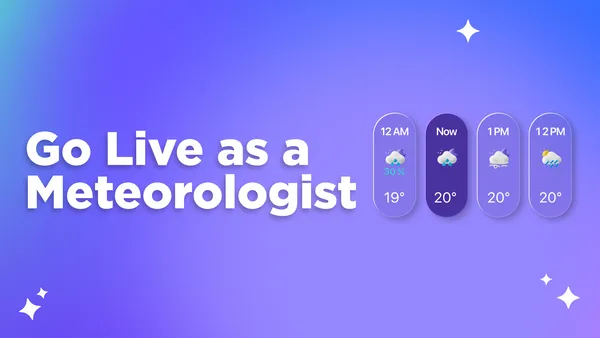
Here are some real prompts a weather streamer might give to Spark and what it will build:
Once Spark builds it, the element drops right into your scene and behaves exactly like anything else you've built by hand. Fully editable, repositionable, and persistent across your sessions.
Spark Workflow for Meteorologists
What makes Spark especially powerful for weather broadcasters is that your needs are highly specific and visual. Where generic alert packs give you a template you awkwardly try to customize, Spark builds exactly the aesthetic and function you describe from scratch.
Importantly, Spark runs on Meld's servers (and not your hardware) so your GPU stays free for your camera feed, encoding, and your weather radar data all running simultaneously without frame drops.
Spark is also completely optional. You can build an entire professional weather broadcast in Meld Studio without ever touching it. But once you try it, the time savings are hard to ignore.
Building Your Brand as a Weather Broadcaster
The best weather streamers aren't just accurate, they're memorable. Your visual identity on stream is as important as the data you're presenting. Viewers on YouTube and Twitch are accustomed to high-quality production, and a well-designed lower third, a clean radar overlay, and a polished alert system communicate credibility before you say a single word.
This is exactly where combining Meld Studio's production power with Spark's instant customization creates a real competitive advantage for independent meteorologists and weather content creators.
FAQ
Do I need a meteorology degree to start a weather livestream?
No, but credibility does matter. Many successful weather streamers are self-taught enthusiasts, amateur storm chasers, or geography students. However, if you plan to issue weather warnings or present yourself as a forecast authority, audiences and platforms expect accuracy.
What is the bare minimum setup I need to go live as a weather broadcaster?
You can start for under $150. At minimum you need a decent USB microphone, a weather radar source, and Meld Studio. Your first stream won't look like a TV broadcast and that's okay! Authenticity and good data communication matter more than production value when starting out.
Which streaming platforms are best for weather broadcasting?
YouTube is the strongest long-term platform for weather content. VODs stay searchable forever and severe weather events drive organic traffic for months after they happen. Twitch has a growing weather streaming community but content doesn't persist. Facebook Live is also excellent for reaching older, local audiences during severe weather events. TikTok Live is emerging for real-time storm content. With Meld Studio you can multistream to all of them simultaneously with no plugins, so you don't have to choose.
How do I add live weather data like temperature and wind speed as overlays on my stream?
There are two approaches. Manually by using a browser source in Meld Studio pointing to a weather widget URL (weather.gov, window.com, or a custom weather station dashboard). The second is using Meld Spark to describe exactly what overlay you want and it will drop directly onto your canvas.
How do I set up multiple scenes for my weather broadcast?
In Meld Studio, scenes are sets of sources that you can switch between instantly during a live broadcast. For weather streaming, the recommended scene stack is Main Forecast (camera, green screen, radar background), Radar Close-Up (full-screen radar with a small camera), Severe Weather Alert (camera and alert graphic overlay), Data Dashboard (charts, maps, forecast models), and Starting Soon / BRB screens (a static or animated overlay with music). Switch scenes with a single click or bind them to an Elgato Stream Deck for hands-free switching during active broadcasts.
Can I put a weather map video or radar animation behind me as a virtual background instead of using a physical green screen?
Yes! You can use a virtual background which is supported by some webcams. Virtual backgrounds can produce fuzzy, inconsistent edges around your hair and shoulders, which can look unprofessional. You don't have to use a green screen or a background remover if that option isn't optimal for you.
Can I stream to YouTube and Twitch at the same time from Meld Studio?
Yes. Multistreaming is built directly into Meld Studio with no plugins or third-party services required. You can simultaneously broadcast to YouTube, Twitch, Kick, TikTok Live, X, and any custom RTMP destination.
I'm on a Mac. Will Meld Studio run smoothly on Apple Silicon?
Meld Studio is the first broadcast software fully optimized natively for Apple Silicon. This means better battery performance, lower heat output, and smoother GPU-accelerated effects compared to running other software.
Do I need to be on camera, or can I just show the radar?
That is up to you! You don't have to be on camera, but viewers tend to like a visible presenter since they build loyalty to people and not data feeds. A face on camera creates connection and keeps people watching longer.