Streamlabs charges.
Meld doesn't.
Free multistreaming. Free effects. No $27/month subscription. No watermarks. No upsells.
"Seriously so happy I could cry. This is life changing for me as someone who has struggled with OBS and I'm tired of paying to multistream with Streamlabs. Meld out here making dreams come true."
Content Creator
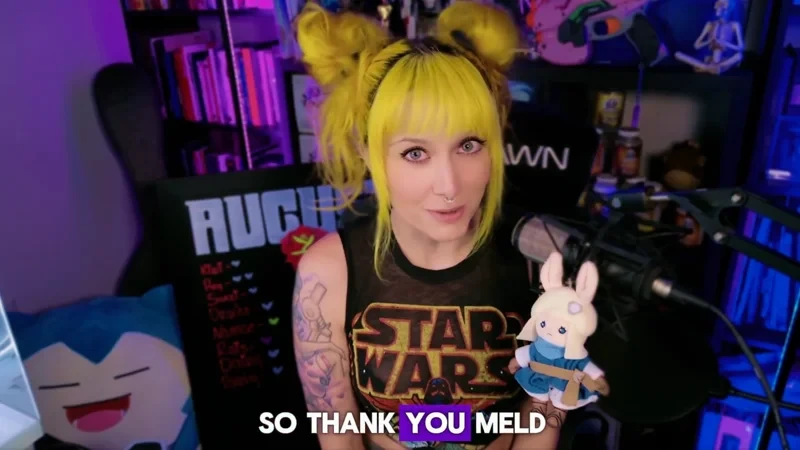
The team behind Meld
As a team of streamers, we believe professional streaming tools should be accessible to every creator, not just those who can afford expensive subscriptions.
That's why Meld is free. We're building a creator-first platform where the software works for you, not against your wallet.
We succeed when Meld empowers your creativity and transforms your content.

Streamlabs vs Meld Studio
Why creators are
switching to
Meld
Streamlabs locks features behind a $27/month paywall. Meld gives you everything for free. No watermarks, no upsells, no subscription traps.
Free multistreaming, no paywall
Meld streams to Twitch, YouTube, Kick, TikTok, and custom RTMP destinations simultaneously. All free. Streamlabs locks multistreaming behind their $27/month Ultra subscription.
No watermarks, ever
Your content is yours. Meld never adds watermarks. Streamlabs Free brands your content with their watermark. You have to pay to remove it.
Native portrait streaming
Stream landscape and portrait simultaneously from the same session. Go live on Twitch in 16:9 and TikTok in 9:16 at the same time. Streamlabs has limited vertical support with workarounds.
Unified multi-chat
Meld combines chat from Twitch, YouTube, and Kick into one integrated feed. Read and respond to your entire audience in one place without switching windows.
Beyond Going Live
Built for your entire
creative workflow
Streaming is one part of being a creator. Meld is designed with the whole workflow in mind, from recording to clipping to repurposing content for social media.
Clipping
Clip and record for TikTok, Shorts, and Reels
Capture your best moments while you stream. Clip the last 30-120 seconds in vertical with one click and save directly for TikTok, YouTube Shorts, or Instagram Reels. No editing software needed.
Audio
Multi-track audio recording
Record up to 8 separate audio tracks. Keep mic, game audio, music, and alerts separate for easier editing. Includes a dedicated VOD track.
Widgets
Built-in stream widgets
Add alerts, chat, goals, and labels directly in Meld for free. No browser sources, no third-party services, no extra tabs to manage.
Management
Manage your stream info across all platforms
Update your stream title, category, and tags on Twitch, YouTube, and Kick from one place. No switching tabs or logging into multiple dashboards. Manage everything without leaving Meld.
Effects
Built-in stream effects and filters
Apply color grading, chroma key, blur, drop shadows, and rounded corners to your webcam, game capture, or display source in real time. Professional streaming effects built in. No plugins needed.
Mixing
Professional audio mixing
Mix your stream audio with ultra-low latency. Supports VST3 plugins, per-scene audio settings, and up to 32 input channels.
Resource Usage
Resource Usage
Meld is light
on resources
Streamlabs is known for high CPU usage. Meld was built from scratch with modern architecture designed for performance. Native Apple Silicon optimization and DirectX 12 rendering means more headroom for gaming and multitasking.
Feature comparison
at a glance
See how Meld stacks up against both free Streamlabs and Streamlabs Ultra.
| Feature | Meld | Streamlabs Free | Streamlabs Ultra |
|---|---|---|---|
| Price | Free | Free | $27/month* |
| Multistreaming | Unlimited | Limited | ✓ |
| Watermark | None | Yes | Removed |
| Portrait Streaming | ✓ | Limited | Limited |
| GPU Effects Library | All Free | Basic Only | Premium |
| Twitch VOD Track | ✓ | Manual | ✓ |
| Apple Silicon Optimized | ✓ | Standard | Standard |
| CPU Usage | Low | Medium-High | Medium-High |
| Update Frequency | Every 2 weeks | ~6 months | ~6 months |
*That's $1,620 over 5 years for features Meld includes for free
Creators who made
the switch to Meld
They stopped paying for features that should be free.
With OBS, I had a scene for every single game and so many plugins. Meld? One scene captures every game without manually changing it. Plugins? Not a one. It worked straight from install with very little tweaking.

@Riley_McKenna1
I switched from OBS to Meld, and I haven't looked back. I enjoy it so much.

@CodyDaltonSID
Switched from OBS Studio to Meld a few weeks ago, and my oh my! How easy it is to set everything up. No more having to download plugins for simple transitions. I strongly recommend the switch!

@WeeScottishMark
Switched from OBS to Meld and have been loving it! Meld Studio is easy to use, comes with so many great features, and has less GPU and CPU usage. 100% recommend if you've been looking for an OBS alternative!

@Fizzee_Dee
I switched to Meld as soon as I gained access to the closed beta for Windows. Now I can finally breathe and start to get creative again.

@goosetowne
Officially done with OBS. I'm tired of "encoder" issues and having to close out applications or mess with 50 settings before I can go live.

@paopuraa
With OBS, I had a scene for every single game and so many plugins. Meld? One scene captures every game without manually changing it. Plugins? Not a one. It worked straight from install with very little tweaking.
@Riley_McKenna1
I switched from OBS to Meld, and I haven't looked back. I enjoy it so much.
@CodyDaltonSID
Switched from OBS Studio to Meld a few weeks ago, and my oh my! How easy it is to set everything up. No more having to download plugins for simple transitions. I strongly recommend the switch!
@WeeScottishMark
Switched from OBS to Meld and have been loving it! Meld Studio is easy to use, comes with so many great features, and has less GPU and CPU usage. 100% recommend if you've been looking for an OBS alternative!
@Fizzee_Dee
I switched to Meld as soon as I gained access to the closed beta for Windows. Now I can finally breathe and start to get creative again.
@goosetowne
Officially done with OBS. I'm tired of "encoder" issues and having to close out applications or mess with 50 settings before I can go live.
@paopuraa
I am in love with Meld Studio! It has made my live streaming so much easier than it was with OBS.

@OldNerdReviews
I switched to Meld Studio after OBS let me down one too many times.

@FoxCyberNexus
Meld Studio has a clipping feature that captures the last 30, 60, or 90 seconds built in. Much better than anything else out there. I'd recommend it.

@Pedakin
Couldn't agree more! I am so glad I embraced the change. It's been smooth sailing since using Meld.

@CptSlothbeard
I am in love with Meld Studio! It has made my live streaming so much easier than it was with OBS.
@OldNerdReviews
I switched to Meld Studio after OBS let me down one too many times.
@FoxCyberNexus
Meld Studio has a clipping feature that captures the last 30, 60, or 90 seconds built in. Much better than anything else out there. I'd recommend it.
@Pedakin
Couldn't agree more! I am so glad I embraced the change. It's been smooth sailing since using Meld.
@CptSlothbeard
I recently switched to Meld Studio from OBS and it's been the best decision! I highly recommend it. Plus the community and support is amazing.

@nadia_html
Switching from OBS to Meld Studio has been a game-changer. The layout for scenes is cleaner, and on Apple Silicon, the native VideoToolbox encoder helps streams run smoothly at higher quality. It's consistently reliable.

@MMVSSOT
I've recently switched to Meld and honestly it's been great.

@Jordsyx
New stream intro since I switched from OBS. Meld Studio is much better.

@SpawnPointComix
I recently switched to Meld Studio from OBS and it's been the best decision! I highly recommend it. Plus the community and support is amazing.
@nadia_html
Switching from OBS to Meld Studio has been a game-changer. The layout for scenes is cleaner, and on Apple Silicon, the native VideoToolbox encoder helps streams run smoothly at higher quality. It's consistently reliable.
@MMVSSOT
I've recently switched to Meld and honestly it's been great.
@Jordsyx
New stream intro since I switched from OBS. Meld Studio is much better.
@SpawnPointComix
Stop paying for
features that should be free
Meld Studio delivers everything modern creators need without the subscription trap. Download today and keep your $324/year.
Windows
Optimized for Windows 10/11 with DirectX 12. Exceptional performance on modern GPUs.
Windows 10 or later required
macOS
Native performance on both Intel and Apple Silicon Macs. Optimized for efficiency.
macOS 12 or later required
FAQ
Frequently Asked Questions
Is Meld Studio really free?
Yes. Meld Studio is 100% free with no watermarks, no time limits, and no feature restrictions. Multistreaming, custom RTMP, and professional effects are all included. There's an optional premium tier for power users, but the free version includes everything most streamers need.
Why is Meld free when Streamlabs charges $27/month?
Different business philosophy. The team behind Meld believes professional streaming tools should be accessible to every creator. They're building a creator-first platform funded by passion for the streaming community, not subscription revenue.
Does Meld have a watermark like Streamlabs Free?
No. Meld Studio never has watermarks. Your content looks professional from day one. Streamlabs Free includes a watermark that can only be removed by paying for Ultra ($27/month).
Can Meld multistream to Twitch and YouTube?
Yes. Meld includes unlimited multistreaming to Twitch, YouTube, Kick, TikTok, Facebook, and any custom RTMP destination. All free. Streamlabs requires the Ultra subscription for multistreaming.
Is Meld better for Mac than Streamlabs?
Yes. Meld Studio is fully optimized for Apple Silicon (M1/M2/M3/M4 chips), offering better performance, cooler temperatures, and longer battery life. Streamlabs works on Mac but isn't natively optimized for Apple Silicon.
How often does Meld update compared to Streamlabs?
Meld ships updates every 2 weeks with new features, bug fixes, and improvements. Streamlabs updates approximately every 6 months. The faster update cycle means bugs get fixed quickly and creator requests are implemented rapidly.
What effects are built into Meld?
Meld includes Move Transition, Gaussian blur, color correction and grading, drop shadows, rounded corners, chroma key, and more. All GPU-accelerated, all free. No plugins to install, no compatibility issues.
Does Meld work with Stream Deck?
Yes. Meld has native Elgato Stream Deck integration with no plugins required. It also works with Streamer.bot, Mix It Up, and Lumia Stream out of the box.
Can I stream vertically to TikTok with Meld?
Yes. Meld has native multi-canvas support for portrait streaming to TikTok Live, Instagram, and YouTube Shorts. You can stream landscape and portrait simultaneously to different platforms.
Will my Streamlabs overlays work in Meld?
Yes. Meld supports browser sources, images, videos, and NDI. StreamElements and Streamlabs overlays work in Meld without modification. Just add them as browser sources.
Is Streamlabs Ultra worth $27/month?
It depends. Ultra is worth it if you actively use the bundled tools (video editor, podcast editor) and premium overlay library. For most creators focused on streaming, Meld offers better value at $0/month with all core features included.
What streaming platforms does Meld support?
Meld streams to Twitch, YouTube, Kick, TikTok, Facebook Gaming, and any platform that accepts RTMP. Built-in multistreaming lets you go live on multiple platforms simultaneously.
Coming from OBS instead?
See how Meld compares to OBS