On this page
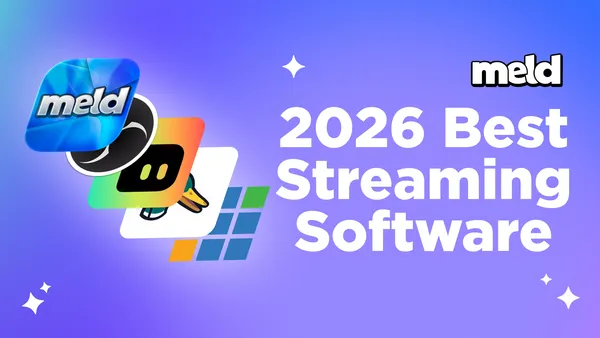
The streaming landscape in 2026 has never been more competitive or exciting. Whether you're a seasoned broadcaster, an aspiring content creator, a musician sharing your talent, or a gamer building up your community, choosing the right streaming software can make or break your broadcast quality and workflow efficiency.
With countless options available, we've tested and compared the most popular streaming platforms to bring you this comprehensive ranking. From feature-rich powerhouses to user-friendly solutions, each software on this list brings something unique to the table. We've evaluated them based on ease of use, feature sets, reliability, performance, and overall value to help you make an informed decision.
So let's dive into our top 5 streaming software picks for 2026.
🥇 #1: Meld Studio
Taking the top spot in our 2026 rankings is Meld Studio, a modern streaming platform that's changing the game for content creators everywhere. What sets Meld Studio apart isn't just its impressive feature set but the philosophy behind its development and the seamless experience it delivers.
Key Features
Stop juggling five apps to run one stream Chat overlays, alerts, donation goals, follower notifications and more are all built in.
Go live everywhere at once with the right layout for each platform Multi stream to Twitch, YouTube, Kick, and TikTok from one app. Multi Canvas lets you send landscape to Twitch and portrait to TikTok or Youtube Shorts simultaneously, so you're not choosing between platforms or reformatting later.
One chat window instead of four Read and respond to Twitch, YouTube, and Kick chat in a single panel. No more missed messages, no alt-tabbing, no third-party chat aggregators.
Let the cloud do the heavy lifting Meld Multi uploads your stream once and distributes it everywhere for FREE. Your CPU and bandwidth stay free for actually playing the game.
Clip it. Replay it. Live. Hit one button and your best moments replay on stream instantly, no extra software or post-production. No need to be recording or live to do so.
Switch from OBS without starting over Import your existing OBS scenes in one click.
Clean audio for VODs without the editing Record up to 8 separate audio tracks with a dedicated VOD track. Strip copyrighted music automatically so no more muted clips or manual editing.
Pros & Cons
|
Pros
✅ Rapid development cycle with bi-weekly updates |
Cons
❌ Newer to market than legacy competitors |
Pricing
Free with Premium Options coming at a later date.
Best For
Streamers who value reliability and want cutting-edge features without the complexity. Perfect for both beginners who want something that "just works" and experienced broadcasters tired of plugin dependency. Ideal for professional streamers, content creators, musicians, and anyone who streams regularly and needs dependable software.
Why Meld Studio Takes #1:
What truly elevates Meld Studio to our #1 position is its commitment to solving real problems that streamers face. The bi-weekly update cycle means bugs get squashed quickly and feature requests get implemented faster than competitors who update quarterly or annually. The all-in-one architecture eliminates the frustration of streaming to thousands of viewers only to have a plugin break mid-stream. And because it's built by streamers who use the software themselves, every feature is designed with practical, real-world streaming scenarios in mind and not just technical specifications on paper.
🥈 #2: OBS Studio
OBS Studio (Open Broadcaster Software) remains the gold standard in free, open-source streaming software and secures our second position for good reason. With a massive community, extensive customization options, and powerful capabilities, OBS has been the go-to choice for streamers worldwide for years.
Key Features
- Completely Free and Open Source: No paywalls and no premium tiers. Everything is available to everyone.
- Unlimited Scenes and Sources: Create complex broadcast setups with no artificial limitations.
- Extensive Plugin Ecosystem: Thousands of community-created plugins extend functionality.
- Multi-Platform Recording: Record to multiple formats simultaneously.
- Advanced Audio Mixer: Professional-grade audio controls with filters and effects.
- Studio Mode: Preview scenes before transitioning them live.
Pros & Cons
|
Pros
✅ Free |
Cons
❌ Steep learning curve for beginners |
Pricing
Free and Open Source.
Best For
Tech-savvy streamers who want advanced control over their setup and don't mind spending a lot of time configuring and troubleshooting. Excellent for budget-conscious creators who enjoy tinkering with settings.
Why #2:
OBS Studio's position as #2 reflects its incredible value and capability, but also acknowledges the reality that plugin dependence can lead to frustrating compatibility issues, especially after updates. While its flexibility is unmatched, that flexibility comes with complexity that can be overwhelming for creators focused more on content than tech set up.
🥉 #3: Streamlabs
Streamlabs OBS takes the foundation of OBS Studio and wraps it in a more user-friendly UI with built-in tools for alerts, overlays, and monetization. It's designed to get streamers up and running quickly with pre-made themes and integrated features.
Key Features
- Built-in Alert System: Integrated alerts for followers, donations, and subscribers.
- Theme Library: A gallery of pre-made overlays and themes.
- Cloud Backup: Save your scenes and settings to the cloud.
- Streamlabs Integration: Direct connection to Streamlabs tipping and merchandising.
- Multi-streaming: Stream to multiple platforms simultaneously (premium feature).
Pros & Cons
|
Pros |
Cons
❌ More resource-intensive than OBS Studio |
Pricing
Free version and Streamlabs Ultra at $27/month
Best For
Beginners who want a polished look without extensive setup, and streamers who want monetization tools integrated directly into their broadcasting software. Good for content creators who prioritize convenience over customization.
Why #3:
Streamlabs OBS earns third place for making streaming more accessible to beginners, but its additional features come at the cost of performance and stability. While the integrated tools are convenient, experienced streamers often find themselves paying for features they don't need or wanting more control than SLOBS provides.
#4: StreamYard
Browser-Based Broadcasting
StreamYard takes a completely different approach as a browser-based streaming solution. No downloads or installations. Open your browser and start streaming. It's designed specifically for interviews, podcasts, webinars, and collaborative content.
Key Features
- Browser-Based: No software installation required.
- Multi-Guest Support: Easily bring on multiple guests remotely.
- On-Screen Branding: Add logos, banners, and overlays directly in the interface.
- Multiple Destinations: Stream to Facebook, YouTube, LinkedIn, and custom RTMP simultaneously.
- Comments Display: Show live comments from multiple platforms on screen.
- Recording Options: Record locally while streaming or record-only mode.
- Virtual Backgrounds: Built-in background replacement technology.
Pros & Cons
|
Pros
✅ Zero installation |
Cons
❌ Limited to what browsers can do |
Pricing
Free tier available, Premium from $20/month
Best For
Podcasters, interviewers, educators, and business professionals who need to bring on remote guests easily. Excellent for webinars, talk shows, and collaborative content where multiple people need to appear on screen. Not recommended for gaming streams or highly customized broadcasts.
Why #4:
StreamYard takes fourth place because while it excels in its specific niche of interview-style content and webinars, it lacks the versatility and customization options that gamers and variety streamers need. Its browser-based nature is both its strength and limitation.
#5: vMix
Live Production Software
Rounding out our top 5 is vMix, a professional-grade live production software that's more suited for broadcast television and large-scale productions than typical streaming. It's powerful, feature-rich, and comes with a price tag to match.
Key Features
- 4K Streaming Support: Full support for 4K production and streaming.
- Instant Replay: Sports-style replay functionality built-in.
- Virtual Sets: Green screen and virtual set capabilities.
- Multi-Camera Support: Seamless switching between multiple camera angles.
- PTZ Camera Control: Control pan-tilt-zoom cameras directly from vMix.
- NDI Support: Full network device interface integration.
- Live Audio Mixing: Professional audio mixing console.
Pros & Cons
|
Pros |
Cons
❌ Expensive starting at $60 with full version at $1,200+ |
Pricing
Basic $60, HD $350, 4K $700, Pro $1,200 (one-time purchase)
Best For
Professional broadcasters, sports production teams, churches with complex AV setups, and large organizations that need broadcast-television-level production quality. Not recommended for casual streamers or those just starting out.
Why #5:
vMix lands in fifth place because it's actually exceptional at what it does but because its professional focus, high cost, and complexity make it impractical for the majority of streamers. It's enterprise-level software in a market where most users need something more accessible and affordable.
Final Thoughts: Choosing Your Streaming Software
Selecting the right streaming software ultimately depends on your specific needs, technical expertise, and budget. Here's a quick decision guide:
Choose Meld Studio if you want cutting-edge features that actually work. It works seamlessly with regular updates and software built by people who understand streaming. It's the best overall choice for streamers who want reliability without complexity.
Choose OBS Studio if you're technically inclined, want complete customization freedom, and don't mind managing plugins and configurations. It's excellent for those who love tinkering and have the technical knowledge to troubleshoot.
Choose Streamlabs OBS if you're new to streaming and want pre-made themes, integrated monetization, and don't want to spend hours setting things up. Just be prepared for potential performance trade-offs.
Choose StreamYard if you primarily do interviews, podcasts, or collaborative content and need an easy way to bring remote guests into your broadcasts. It's purpose-built for this specific use case.
Choose vMix if you're running a professional production company, need broadcast television quality, and have the budget for professional-grade software. It's overkill for personal streaming but perfect for professional productions.
The streaming software landscape in 2026 offers something for everyone, from beginners taking their first steps into content creation to seasoned professionals running multi-camera productions. Whatever you choose, the most important thing is to start creating content and building your community. The best software is the one that gets out of your way and lets you focus on connecting with your audience.
Happy streaming!
FAQ
What is streaming software?
Streaming software is a specialized application that captures, encodes, and broadcasts audio and video content over the internet in real-time.
What is the best free streaming software?
Meld Studio is recommended due to its user-friendly interface, built-in features and biweekly updates.
Is OBS better than Streamlabs?
OBS Studio is better if you want maximum control, extensive customization options, and lower CPU usage. Streamlabs works well if you're a beginner who wants pre-made themes but it can run heavy on your setup.
What's the difference between OBS Studio and Streamlabs?
While both are built on the same OBS engine, they have key differences:
- OBS Studio is the original, free, open-source software with a modular interface that allows extensive customization through plugins. It uses less CPU and is available on Windows, macOS, and Linux.
- Streamlabs Desktop (formerly Streamlabs OBS) is built on the OBS framework but includes a more polished, beginner-friendly interface with built-in alerts, themes, overlays, chat integration, and cloud backups. It requires more system resources and offers premium features through a paid subscription.
Can I stream for free?
Yes! There are excellent streaming software options that are completely free, including OBS and Meld Studio.
What internet speed do I need for streaming?
For stable, high-quality streaming, you should have a minimum upload speed of 5-10 Mbps. Here's a breakdown:
- 720p streaming at 30 fps: 3-5 Mbps upload
- 1080p streaming at 30 fps: 5-8 Mbps upload
- 1080p streaming at 60 fps: 8-12 Mbps upload
- 4K streaming: 20+ Mbps upload
How often should I update my streaming software?
It depends on the software:
- Meld Studio updates every two weeks, ensuring you always have the latest features and bug fixes
- OBS Studio releases updates several times per year with new features and improvements
- Streamlabs Desktop updates regularly with new themes and features
Always update your streaming software before important streams to ensure stability and access to the latest features. However, if you have a critical stream coming up, wait until after to update to avoid potential compatibility issues during your broadcast (mainly when using OBS).