On this page
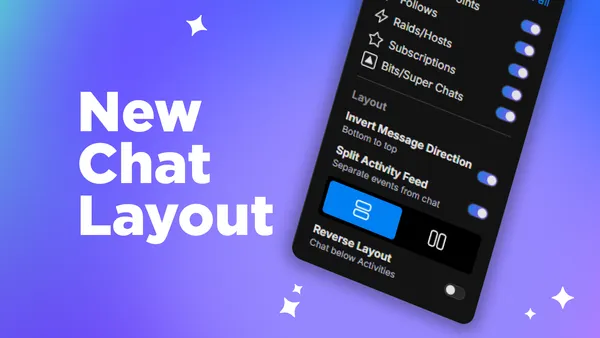
With this latest release, we've brought even more customization to your chat dock. No matter what streaming layout you prefer, your chat should work your way. This update introduces two new chat setting toggles: Invert Message Direction and Reverse Layout.
New Chat Layout
Every streamer likes to set up their workflow a little differently, and we know that one size doesn't fit all. Whether you're working with a portrait layout, a side-by-side setup, or something entirely your own, these new toggles will give you the flexibility to make your chat dock feel right at home for your streams.
Invert Message Direction
By default, new chat messages flow from top to bottom, but that doesn't work for everyone. With Invert Message Direction, you can flip that flow so that new messages appear at the top instead of the bottom.
This is useful if your chat dock sits in a position where the top of the panel is more visible to you at a glance, or if you simply prefer to read your chat from the top down when messages come in.
Reverse Layout
Normally, the chat sits below the activity feed in the chat dock. With Reverse Layout, you can swap these positions and put chat on top with the activity feed on the bottom.
If your eyes are naturally drawn to the upper portion of your screen while you're live, this toggle makes sure that your chat is right where you need it to be. It's a small change that can make a big impact in how comfortable you feel monitoring your stream.
Conclusion
Both of these toggles can be found in your Chat Settings panel. We hope that these additions give you a little more room to build the streaming setup that works best for you. The best layout is the one that keeps you focused on your stream, not fighting your streaming tools.
Happy Streaming!
FAQ
Where do I find these new chat toggles in Meld?
Both Invert Message Direction and Reverse Layout can be found in your Chat Settings panel inside of Meld Studio.
Can I use both toggles at the same time?
Absolutely! The two toggles work independently of each other, so you're free to mix and match them to get the exact layout that works best for your setup.
Will my settings save between sessions?
Yes! Once you've configured your toggles, Meld Studio will remember your preferences the next time you open up the app.
Does Invert Message Direction affect how my viewers see the chat?
Nope. This toggle is only seen in your Meld Studio chat dock. Your viewers' experience remains unchanged.