On this page
If you've been streaming for more than a year, you know the ritual. A new OBS update drops, and suddenly half your plugins are broken. You spend an hour hunting GitHub release pages, checking compatibility threads, and wondering why your carefully assembled setup feels more like a house of cards than a production studio. Sound familiar?
The plugin maintenance treadmill is one of the most frustrating parts of streaming with OBS. Not that it's OBS's fault, either. The plugin ecosystem is a community-driven patchwork of incredibly talented developers building things on their time. The result is powerful but it can also be brittle. The more you stack, the more fragile everything can become.
That's one of the problems Meld Studio was built to solve.
How Streaming Software Got Here: A Decade of Evolution
It's worth it to step back and appreciate how dramatically the streaming software landscape has shifted over the past decade, because it directly explains why the old plugin-heavy model is starting to show its age.
OBS Studio first appeared in August 2012, created by developer Hugh "Jim" Bailey so he could stream StarCraft. It was a scrappy, single-purpose tool, and it solved a real problem at the moment when livestreaming was just starting to become a mainstream activity on platforms like Twitch. By 2013, development had begun on a full rewrite for what would become OBS with multi-platform support and a more powerful API. By 2016, OBS became the definitive standard.
For most of the 2010s, OBS was essentially the answer. It was free, open-source, powerful, and endlessly extensible via plugins. As Twitch grew into a cultural force and YouTube Live expanded its creator ecosystem, the demand for capable streaming software exploded, and OBS plugins grew right alongside it.
However, this expansion brought its own problems. The more reliant creators become on third-party plugins, the more unstable their setups became. With developers of plugins being volunteers, they update on their own schedules, if at all. A creator who had built a production around five or six plugins was, in effect, at the mercy of five or six independent update timelines. One incompatibility and the whole stack could potentially break.
The mid-2020s are seeing a wave of purpose-built alternatives that take OBS's open-source foundation seriously but rethink the architecture around it. Tools that bake in the features creators were previously forced to bolt on. Tools with stable integration surfaces for custom workflows. Tools where updates don't break your production.
Meld Studio is one of those tools and its approach is worth taking the time to check out.
What Creators Add to OBS via Plugins
Let's be completely real about what most streamers are wanting to achieve with plugins. The common culprits break down into two categories: audio routing, and visuals.
Audio Routing
Probably the most painful time-suck of the two is going to be audio routing. Plugins like OBS-ASIO or virtual audio cable workarounds exist because getting fine-grained control over what audio goes to stream versus what goes to a recording just isn't seamless out of the box. The result can be a tangle of virtual devices and a prayer. This isn't even touching on how complex it can be to route audio in native OBS to have it removed from your Twitch VOD.
Visuals and Overlays
Custom shaders, real-time visual effects, animated overlays, and integrations with tools like NDI or Spout2 for bringing in graphics from external applications. This is where the plugin stack gets especially deep, and where update-related breakage is the most painful.
Each of these plugins has its own update cycle, its own compatibility quirks, and its own way of interacting with the rest of your setup. One bad update can bring down your whole stream. That's not a production environment, it's actually a gamble. Have you ever heard anyone excited when OBS prompts a new update?
Meld is Built with Integrations
Meld Studio approaches this differently. Rather than asking you to bolt on community plugins and hope they play nicely together, Meld is built around a native integration model. The features you'd normally hunt for plugins to provide are built directly into the application. So scene control, audio routing, and visual effects are first-class citizens in Meld Studio and not an afterthought duct-taped onto the side. When Meld updates, your integrations update with it. There's no plugin compatibility matrix to manage.
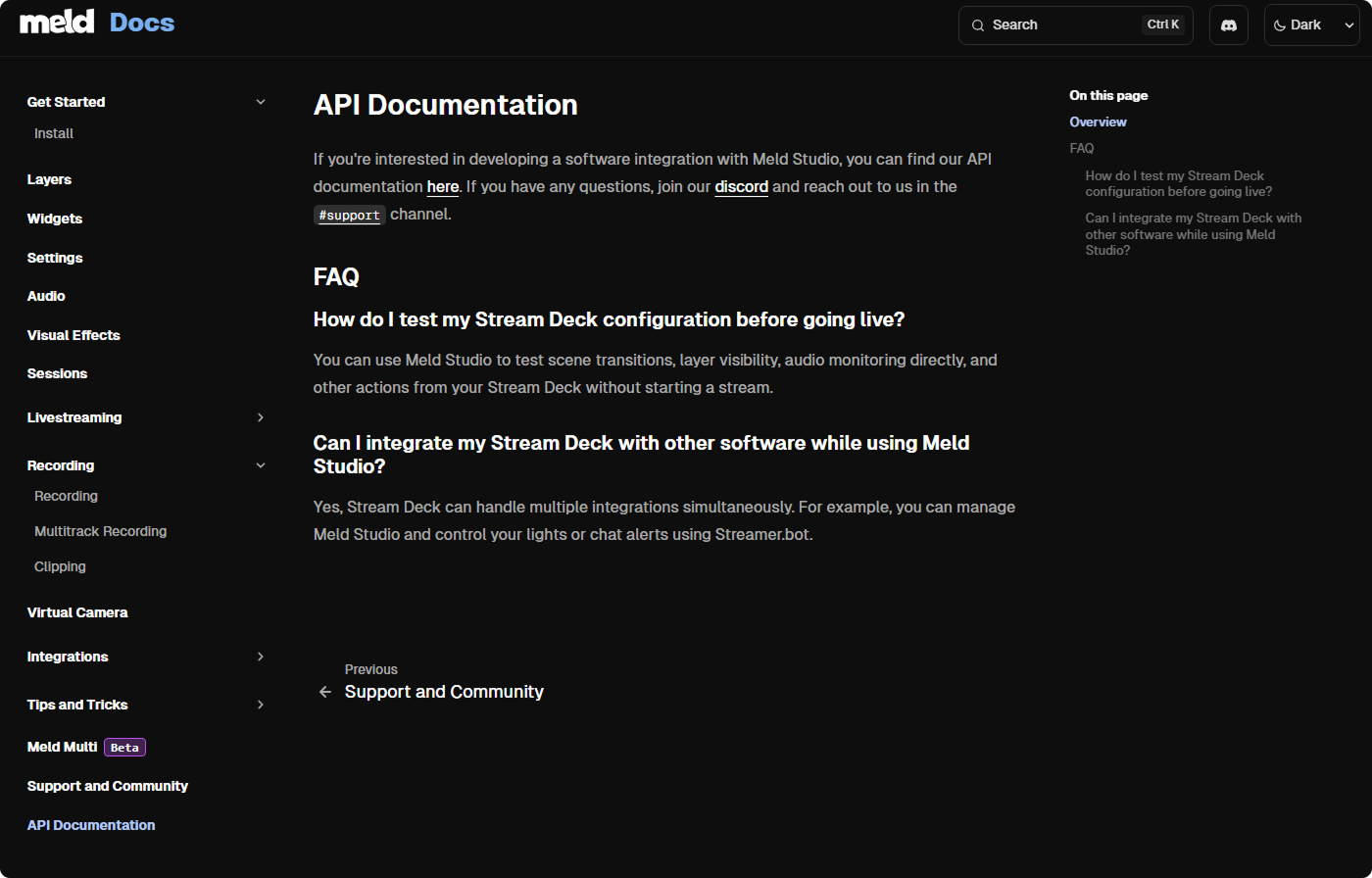
For creators who want to go further, Meld also exposes a developer API that makes it possible to build custom workflows without the friction of a traditional plugin system. Whether you're looking to trigger scene switches from an external source, pull in data from a web service, or automate parts of your production based on custom logic, the API gives you a proper, stable surface to build on. You're not reverse-engineering internal OBS events or relying on community-maintained wrappers. You're working with something designed to be extended.
This is a meaningful shift for teams and professional streamers who need reliable, repeatable production workflows. It's the difference between a workaround and a foundation.
Spout2: A Real Example of Integration Over Duct Tape
Spout2 is a great, concrete case study here. For those unfamiliar, Spout2 is a Windows framework that lets applications share GPU texture data in real time. This means a tool like VTube Studio or Stream Avatars can pipe visuals directly into your stream without any encoding or re-decoding overhead.
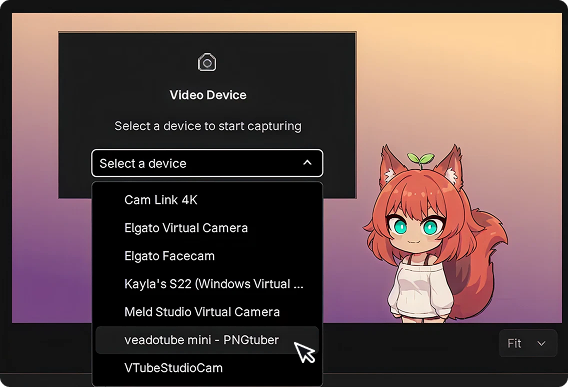
In OBS, getting Spout2 to work means installing the obs-spout2 plugin, hoping it was compiled for your current OBS version, managing it as a separate dependency, and dealing with the moment when it may stop working after an OBS update. It works, but it does require maintenance. As a VTuber, this can set you back and cause interruptions to your streaming schedule if you have to wait for the plugin to be updated.
In Meld, Spout2 support is handled as a native integration. You connect a Spout2 source and it just works! Inside the same application, on the same update cycle, without a separate plugin you have to babysit. This alone removes a significant source of friction for creators who rely on Spout2.
Spout2 is such a useful example because of the fact it illustrates the broader point: the best integrations aren't plugins at all. They're features with a proper home inside the application, maintained by the same team, and designed to be reliable.
The Real Trade-Off
It's worth taking note that the OBS plugin ecosystem is vast, and there are plugins doing things Meld doesn't yet cover. If your workflow depends on something highly specific, it's worth checking what Meld currently has integrated before making the switch.
For the majority of streamers Meld offers a cleaner alternative to running a plugin stack to patch gaps in audio routing and visuals. Fewer moving parts, less maintenance overhead, and a developer API for when you genuinely need something custom.
The goal isn't to have the most plugins. It's to spend less time managing your setup and more time focused on your content.
If you're tired of searching through plugins, then Meld Studio is worth a serious look.
FAQ
Is Meld Studio free like OBS?
Meld Studio offers livestreaming for free, yes!
Do I need to uninstall OBS to use Meld?
Nope! OBS and Meld can coexist on the same machine. Many creators run both initially while they're migrating their setup and getting familiar with Meld's integrations. They're separate applications and won't interfere with each other.
Can Meld stream to Twitch, YouTube, and other platforms like OBS does?
Absolutely! Meld supports multi-streaming to all major platforms including native integration with Twitch, YouTube, and Kick. You can stream to others via standard RTMP as well. The transition is pretty straightforward if you've ever used OBS.
I use OBS with a lot of custom plugins. Will Meld replace all of them?
This depends on what purpose your plugins are serving. For the most common use cases of audio routing, scene control and visual overlays, Meld will cover you. For highly specialized or custom plugins, Meld's developer API may allow you to recreate that functionality with a custom integration. It's worth auditing your plugin stack against Meld's integration list before committing to a full switch.
What is Spout2 and why does it matter for streamers?
Spout2 is a Windows-based GPU texture sharing framework. It allows creative software to send real-time visuals directly to Meld with zero re-encoding overhead. For streamers who like to use a 2D or 3D model, this means your model will come through cleanly, in real time, without an unstable plugin in the middle.
Is the Meld developer API hard to use?
The API is designed to be accessible to creators with some coding experience, not just professional developers. It provides a stable surface for building custom automations and integrations. Documentation is available.
Why does OBS need so many plugins in the first place?
OBS was designed to be a lean, extensible core that could be built on by the community. That's a strength, but it also means a lot of functionality creators need in practice has to come from third-party plugins. As OBS has grown in complexity over the years, the plugin ecosystem has grown alongside it. The challenge is that community-maintained plugins don't have the same stability guarantees as features built and maintained by a dedicated product team.
Will switching to Meld improve my stream quality?
Stream output quality depends primarily on your encoder settings and hardware, not which streaming application you're using. Switching from OBS to Meld won't automatically improve your video quality. What it can improve is the reliability and maintainability of your production setup, which indirectly affects quality by reducing the chance of something breaking mid-stream.
Is Meld Studio good for beginners?
Meld is designed to be approachable without sacrificing production power. If you've found OBS's interface and plugin management overwhelming, Meld's integrated approach removes much of that friction. You don't need to understand plugin compatibility or manage dependencies, you just set up everything within the application and get to streaming.