On this page
If you're in the market for streaming software, two names have probably popped up in your searches: Meld Studio and StreamYard. They're both popular choices that are capable of producing a polished stream. At first glance they might seem interchangeable, but dig a little deeper and the differences are significant. This is especially true when it comes to cost, performance, creative control, and who each tool is really built for.
We've done a deep dive to give you an honest, side-by-side look at both platforms. Whether you're a solo gamer, a podcaster, a business professional hosting webinars, or a creator juggling multiple channels, this guide will help you find your fit.
What is Meld Studio?
Meld Studio is a desktop-based streaming and recording application available for both Windows and MacOS. Unlike many tools that are either browser-based or built as clones of OBS, Meld was engineered from the ground up with a singular focus of making streaming and recording accessible to everyone without the complexity.
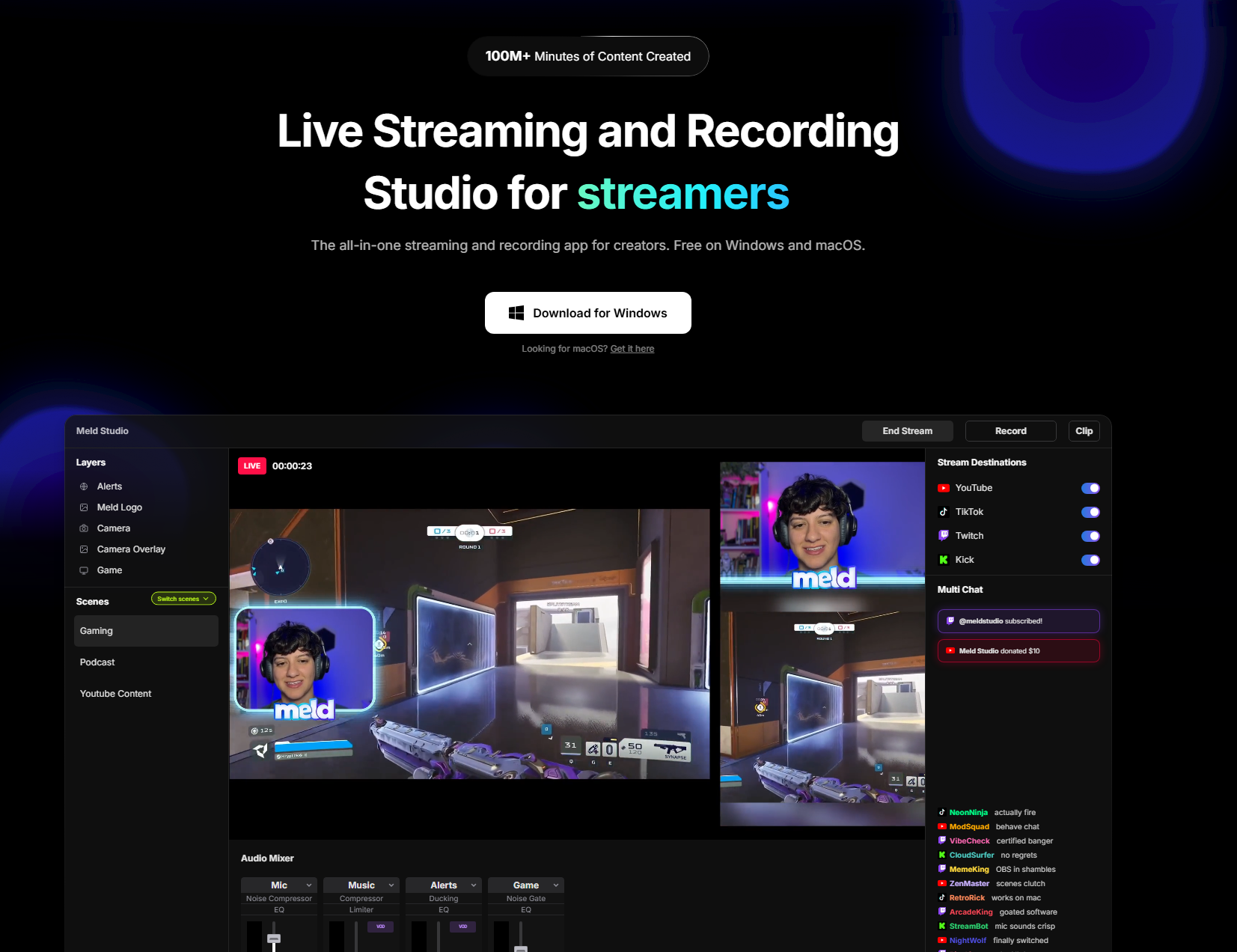
Built natively for Apple Silicon on Mac and optimized for DirectX 12 on Windows, Meld is pretty lightweight for how much it can do. You get built-in multi-streaming, a real-time effects engine with filters (chroma key, color grading, drop shadow and more), multi-track audio recording, instant replay, a full scene editor, chat integration, and Elgato Stream Deck compatibility. This is all without paying a single cent or downloading a single plugin.
Meld also ships updates as frequently as every two weeks based on direct community feedback, which means the product is actively evolving in response to feedback from real creators in the space.
What is StreamYard?
StreamYard is a browser-based live streaming studio that has been around since 2018 and has built a loyal following. This following is particularly among podcasters, business professionals, and content creators who want a low-friction way to go live and have guests on their stream. Because it runs entirely in the browser, there is no software to install. You just log in and start streaming.
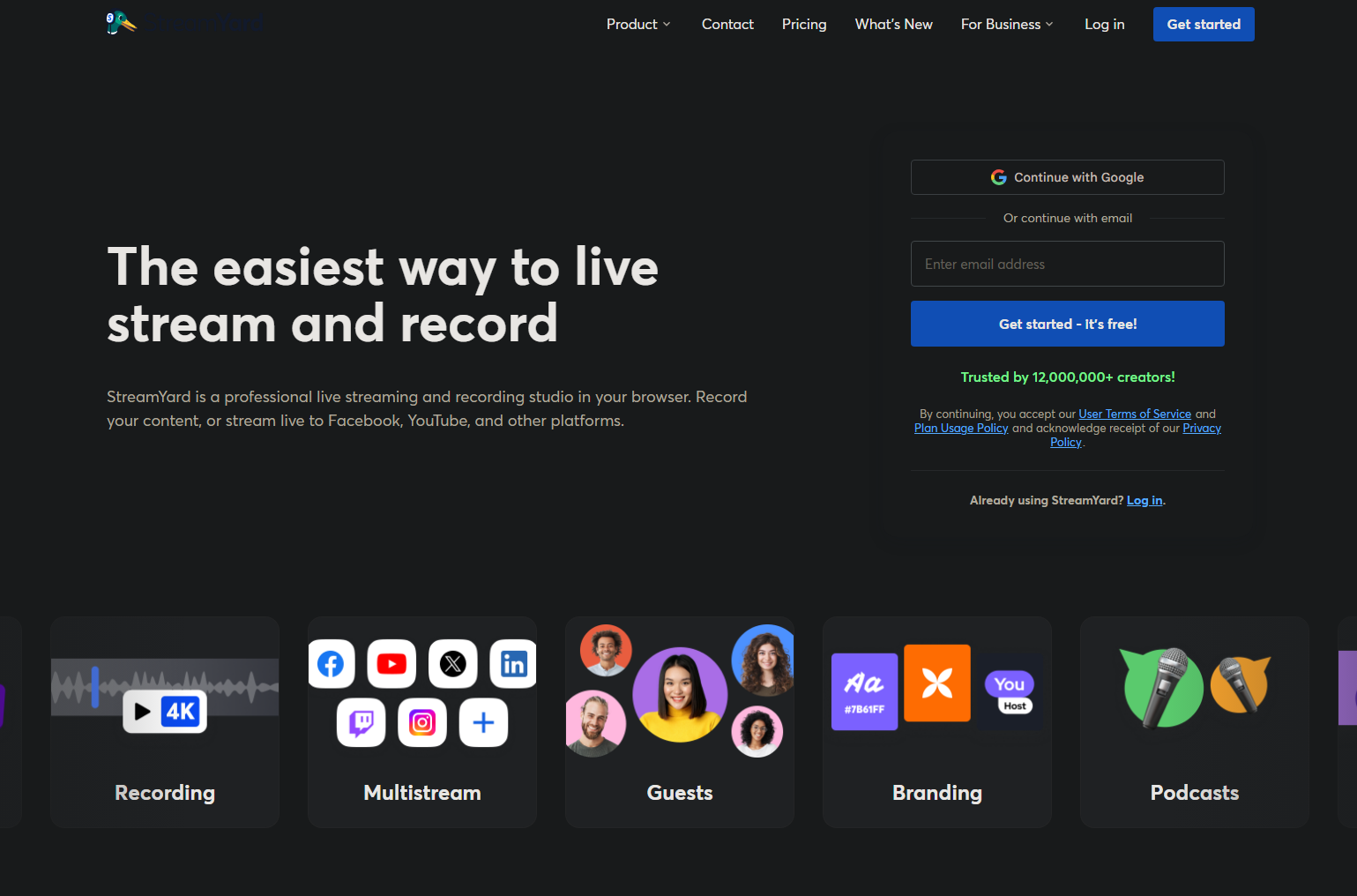
StreamYard's strengths are its simplicity and its guest workflow. You can invite guests to join your stream via a simple link, manage multiple on-screen participants, display live comments as overlays, and stream to platforms like YouTube, Facebook, LinkedIn, and Twitch. It's particularly popular for interview-style shows, webinars, podcasts, and branded corporate content.
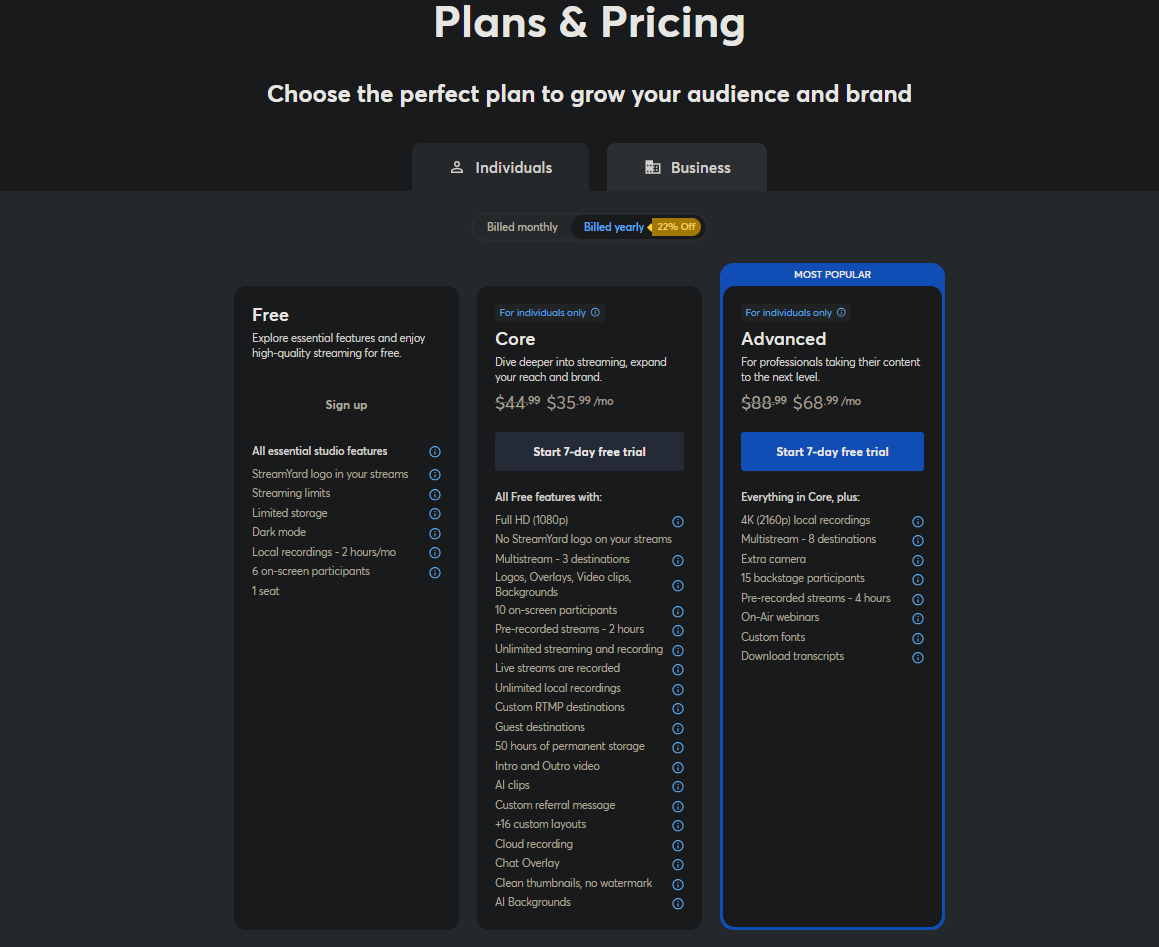
StreamYard does offer a free tier, but meaningful features like HD streaming, custom branding, multi-streaming, and recordings are locked behind paid plans. You can view the full StreamYard pricing breakdown here.
Comparing Meld Studio to StreamYard
Let's get into the comparison of Meld Studio and StreamYard.
Software Pricing
This is probably the starkest difference between Meld Studio and StreamYard.
Meld Studio allows you to stream for free. Although there is promise of a paid version in the future, everything currently in Meld will remain free for creators. There are no watermarks, no time limits, and no hidden fees. Multi-streaming, recording and real-time effects are all free.
The team at Meld Studio has been very transparent that the core software will always be free to use.
StreamYard has a limited free plan. You'll be streaming with a StreamYard watermark, capped to 720p output, with no multi-streaming and only 2 hours of local recording storage. To remove the watermark and unlock 1080p, you're looking at the Core plan which is $44.99/month. If you need 4K recording, more streaming destinations, and webinar features, the Advanced plan runs $88.99/month. That's a steep cost for independent creators, especially if you're streaming as a hobby.
Setup and Ease of Use
StreamYard offers a frictionless method of setup. Because it's browser-based, there's genuinely nothing to install. You open a tab, invite your guests via link, and you're live! For someone who has never streamed before and wants to do a one-time panel discussion or webinar, that zero-install workflow is genuinely appealing.
Meld Studio does require a download, but it is a lean one, and the interface has been intentionally designed to be approachable. The drag-and-drop scene editor, built-in Missing Resources Assistant (which automatically finds and fixes broken assets), and one-click OBS importer mean most creators are up and running quickly. Those switching from OBS will feel at home almost immediately, and those coming from browser-based tools will find the layout intuitive.
Creative Control and Visual Production
This is where Meld Studio shines.
Meld brings the kind of real-life effects pipeline you'd normally find in post-production software, delivered directly into your live stream. Color grading, chroma key, drop shadows, blurs, rounded corners, gradient fills, and move transitions all work in real-time with zero latency. You can layer and combine effects, share presets, and customize virtually every visual element of your stream without touching a plugin.
StreamYard's visual customization is going to be more limited. You're able to add logos, overlays, branded backgrounds, and lower-thirds, but these are template-based tools rather than a true effects engine. There's no chroma key support, no real-time color grading and no layered effects system. This means that if you want to make adjustments to your templates you will need to use a third-party program for customization and then add them back in.
Audio
Meld Studio features an ultra-low-latency audio engine with multi-track recording, built-in effects, real-time monitoring, and per-scene audio routing. This is crucial for creators who want to separate game audio, microphone, and music into individual tracks for post-production editing or clean recordings. Having audio track separation is a foundational best practice for professional audio production.
StreamYard handles audio reasonably well for its primary use case of voice-based conversations, but it doesn't offer the same depth of audio mixing, per-track recording, or real-time control.
Guest Management
This is StreamYard's strongest suit when it comes to comparing it to Meld Studio. Inviting remote guests to your stream is a seamless process: send a link to your guest, they click it, and they're in your studio. No accounts are required for your guests and no technical hurdles. You can have up to 10 on-screen participants (with the paid plans), manage a backstage area where guests wait before going live, and handle multiple camera angles for each participant for a great production.
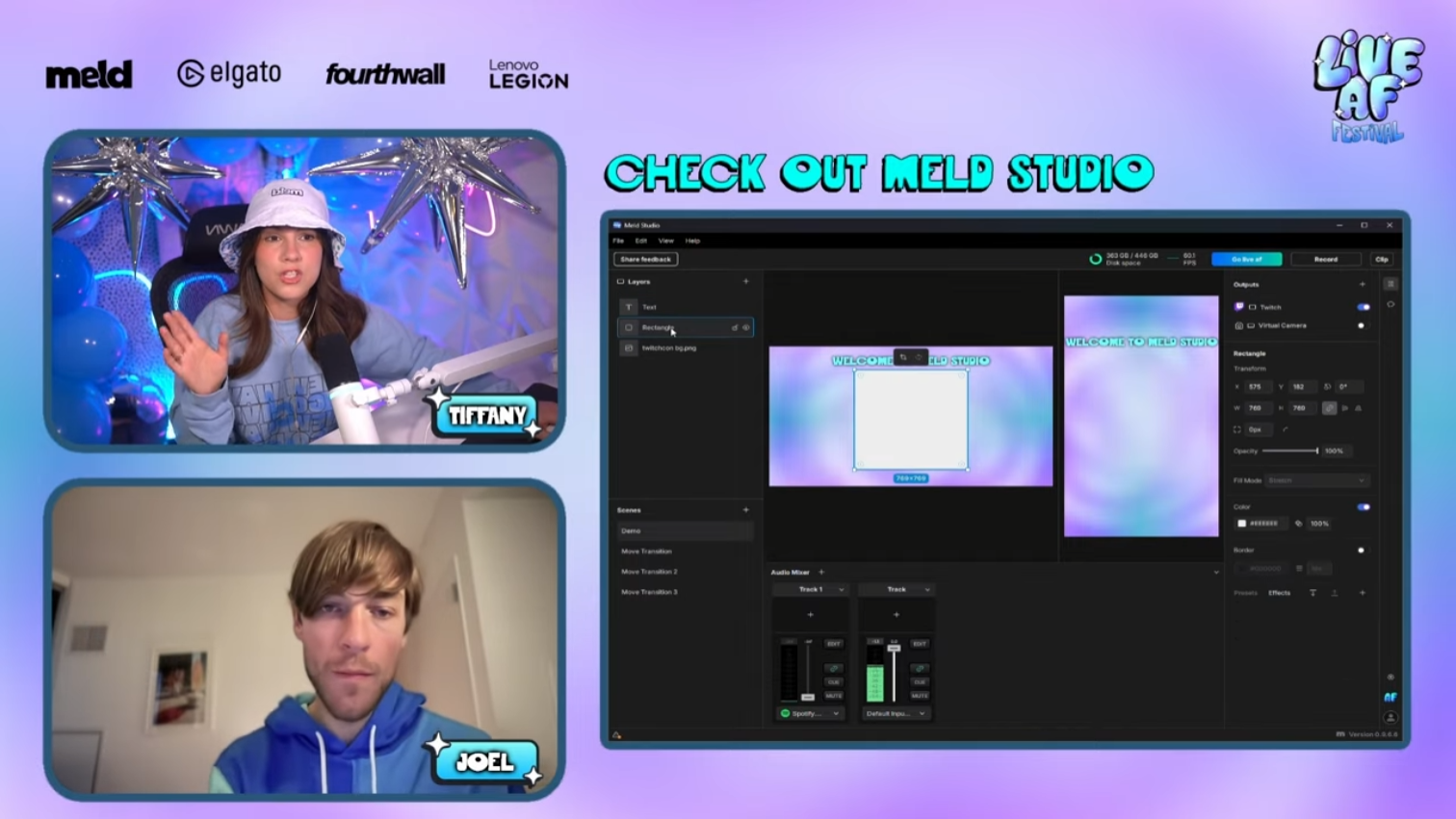
Meld Studio currently focuses on the solo/local multi-camera production workflow rather than remote guest collaboration. However, Meld can show guests through a third-party application such as Zoom or Discord.
Multi-Streaming
Both platforms support multi-streaming, but in different ways!
Meld's multi-streaming is built directly into the studio. You can stream simultaneously to Twitch, YouTube, Kick, and any custom RTMP destination, all for free. Each output can be configured independently, and you can even stream in landscape and portrait formats at the same time. Meld also came out with Meld Multi (currently in beta), which allows users to multi-stream through a cloud-based service without using extra bandwidth or computer resources, for free.
StreamYard supports multi-streaming on paid plans only (Core and above), with a limit of 3 destinations on Core and 8 on Advanced. Free users get no multi-streaming at all.
Gaming and Performance
For gamers, Meld Studio is going to be the obvious choice. It uses GPU acceleration efficiently (Apple Silicon on Mac, DirectX 12 on Windows), leaving plenty of headroom for games to run smoothly alongside it. Users frequently note that Meld uses significantly fewer system resources than OBS or Streamlabs, which is a major advantage when you're already taxing your GPU with a game.
It’s been a year since I switched over from OBS Studio to @StreamWithMeld & I might say the BEST decision I have ever made!! Not only my streams are a lot smoother .. its so much easier to work with 🙌🏼✨
— nikoru (@niiiikoru) February 16, 2026
According to Twitch's official broadcasting guidelines, encoding efficiency and low CPU/GPU overhead are among the most important factors for a stable, high-quality stream. Meld is built with exactly that in mind.
StreamYard, being browser-based, is not designed for game capture at all. It works with webcams and screen sharing, but it isn't built to capture game output and isn't a viable option for gaming streams.
Who Should Use Each Tool?
Who Should Use Each Tool?
Choose Meld Studio if you are...
The go-to choice for creators who want power, freedom, and zero cost.
- A gamer or live streamer on Twitch, YouTube, or Kick
- A creator who wants professional visual effects without plugins
- Someone who wants zero-cost multistreaming to multiple platforms
- A Mac user who wants software fully optimized for Apple Silicon
- Coming from OBS and looking for something more approachable
- A podcaster or content creator who wants full audio control and local multi-track recording
Choose StreamYard if you are...
Best suited for browser-based guest shows and corporate webinars.
- Hosting interview-style shows or panels with remote guests via link
- Running corporate webinars or professional online events
- Producing content primarily for LinkedIn or business audiences
- Looking for absolutely zero software installation
- Comfortable paying $44 to $89 per month for a managed, cloud-based solution
Conclusion
Meld Studio and StreamYard are genuinely different tools serving different primary audiences. StreamYard carved out its niche in the remote guest and webinar space, and for those workflows it remains a solid option, provided you're comfortable with the subscription cost.
But for the vast majority of independent content creators (gamers, solo streamers, podcasters, and those who care about production quality) Meld Studio offers more power, more creative freedom, better performance, and a completely free experience. The fact that it's built natively for modern hardware, including Apple Silicon, and ships updates every two weeks based on community feedback puts it in a strong position as the go-to streaming software in 2026 and beyond.
FAQ
Does Meld Studio work on Mac?
Absolutely. Meld Studio was the first broadcast software fully optimized for Apple Silicon, making it exceptionally efficient on modern MacBooks and Mac desktops.
Can I switch from StreamYard to Meld Studio without losing my setup?
There is no direct StreamYard importer, since StreamYard is browser-based and doesn't use local scene files. However, if you've been using OBS alongside StreamYard, Meld's one-click OBS importer will bring your scenes over instantly. Setting up fresh in Meld is also quick thanks to its intuitive drag-and-drop interface.
Does Meld Studio support remote guests like StreamYard does?
Meld Studio can do remote guests using a third-party application such as Zoom or Discord. StreamYard currently has a stronger purpose-built guest management workflow.
How does StreamYard's pricing compare to Meld Studio?
StreamYard's free plan is quite limited, with no HD streaming, no multi-streaming, no custom branding, and a watermark on your broadcast. Their entry-level paid plan (Core) starts at $44.99/month. Meld Studio is free with no such restrictions, making it significantly more cost-effective for independent creators.
Can I multi-stream with Meld Studio for free?
Yes! Meld's built-in multi-streaming has integration with Twitch, YouTube and Kick, while also having custom RTMP destinations, all at no cost.
Is Meld Studio good for gaming streams?
It's one of the best options available. Meld is highly optimized for modern GPU architectures and uses far fewer system resources than most competing tools, leaving plenty of headroom for your games to run smoothly.