On this page
Choosing the right streaming software matters more than ever. Over 1 in 4 internet users now watch live streams every week, and the live streaming market is on track to nearly double in size by 2029. The software you stream with shapes every piece of content that you put out, so let's break down how Meld Studio and OBS stack up in 2026.
Quick Overview of Meld & OBS
Meld Studio is the new challenger when it comes to streaming software, and it's making a lot of noise for good reason. Built from scratch using modern GPU and CPU architectures, it ships everything a creator needs in one polished application. Built-in multi-streaming, real-time visual effects, integrated multi-chat, and much more. Meld Studio releases updates every two weeks based on direct community input and was the first streaming software fully optimized for Apple Silicon.
OBS has been the go-to streaming tool since 2012. It's completely free, open-source, and trusted by streamers, esports broadcasters, and video professionals around the world. It relies on community-driven evolution.
Ease of Use
If you're a new streamer, this is where your decision should start. This is also where Meld Studio and OBS feel like completely different products.
Meld Studio
Meld was designed with ease of use and being intuitive as the first principles. The one-click effects and clean layout mean most creators can configure a professional-looking stream within minutes of installing the app. What you see in the canvas is exactly what your audience will see.
There's also a major game-changer for anyone who wants to make the switch from OBS to Meld Studio: the built-in OBS Importer Tool which pulls your existing scenes and sources directly into Meld with a single click. You don't have to rebuild your entire setup from scratch to try it out.
OBS
OBS was built for tech-savvy power users, and it shows. The interface is functional but dense. New streamers typically need to watch multiple tutorials, read documentation, and spend real time on setup before their first stream looks even remotely close to the way they want. For those who love granular control, this depth is the whole point. For beginners and those who just want software that works without needing a whole new education, it can be a struggle to use.
🏆 Winner: Meld Studio
For most creators, especially those just getting started, Meld Studio is the clear winner. Power users with complex setups may still appreciate OBS's depth, but Meld gets you live faster without sacrificing your time or your stream quality.
Performance & System Resources
Nobody wants their streaming software eating into their frame rate or slowing down their machine. This is one of the most practical categories and one where the two tools show their different styles.
Meld Studio
Meld was engineered from day one for modern hardware. On Windows it uses DirectX 12. On Mac, it's fully native on Apple Silicon, leveraging efficiency cores and unified memory architecture to minimize overhead. User feedback consistently reports Meld using significantly fewer system resources than OBS, leaving more headroom for gaming, design work, or anything else running in the background.
OBS
OBS is efficient for what it is, but it wasn't designed around modern GPU architectures. On Apple Silicon Macs it has historically requires workarounds to run well. Although OBS 32.0 introduced an experimental Metal renderer for Apple Silicon, it's still experimental.
🏆 Winner: Meld Studio
Particularly significant for Mac users. Both perform well on Windows, but Meld's modern architecture gives it a meaningful edge across the board.
Full Features Comparison
OBS ships a core that relies on its massive plugin ecosystem to extend functionality. Want multi-streaming? Plugin. Move transitions? Plugin. Custom chat overlay? Another plugin. OBS means more things to install, maintain and debug.
Meld Studio takes the opposite approach. The features that matter most to creators are built in. No plugins required for any of the core functionality below.
| Feature | 🟢 Meld Studio | 🔵 OBS Studio |
|---|---|---|
| Streaming | ||
| Multistreaming (Twitch, YouTube, Kick, etc) | ✓Built-in & free via Meld Multi cloud | ~Requires plugin or 3rd-party service |
| Landscape + Portrait canvas simultaneously | ✓Stream 16:9 & 9:16 at the same time | ~Requires plugin or 3rd-party service |
| Stream Manager (update title & category live) | ✓Twitch, YouTube, Kick without leaving the app | ✗Not available natively |
| Effects & Scenes | ||
| Real-time visual effects (30+) | ✓Chroma key, colour grade, blurs, shadows & more | ~Basic filters built in; plugins extend |
| Move transitions (animated object movement) | ✓Native, smooth scene animations | ~Move Transition plugin required |
| OBS scene importer | ✓One-click import of existing OBS scenes | N/A |
| Missing Resources Assistant | ✓Auto-detects & fixes broken scene assets | ✗ |
| Recording & Audio | ||
| Clip & Instant Replay | ✓One click, native | ~Replay Buffer (requires manual setup) |
| Multi-track audio recording | ✓ | ✓ |
| 4K recording support | ✓ | ✓ |
| Integrations | ||
| Integrated multi-chat | ✓All platforms unified in one panel | ✗External tool or plugin required |
| Stream Deck integration | ✓Dedicated Elgato plugin | ✓Plugin available |
| Plugin ecosystem | ~Growing; most features are native | ✓Massive, 10+ year ecosystem |
| Platform & Tech | ||
| Apple Silicon native optimisation | ✓Fully native since launch | ~Experimental Metal renderer (v32.0) |
| Linux support | ✗Not available | ✓ |
| Open source | ✗ | ✓View on GitHub ↗ |
| Update cadence | ✓Every 2 weeks | ~Periodic community-driven releases |
| Price | ✓Free. No watermarks. No limits. | ✓Free & open source. |
🏆 Winner: Meld Studio
For most creators, having essential features built in without managing a plugin collection is a win. OBS wins on extensibility if you have a highly custom, plugin-dependent workflow.
Streaming & Recording Quality
Both tools are capable of broadcast-quality output. There are a few meaningful differences worth knowing between these two.
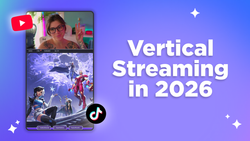
Meld Studio features an ultra-low-latency audio engine with real-time monitoring, multi-track recording, and a real-time preview that shows you exactly what your audience will see. Its portrait canvas support is also a standout for creators publishing to TikTok, Instagram Reels, or YouTube Shorts alongside a "traditional" stream.
OBS supports virtually every encoder and codec available. Fine-grained bitrate controls makes it extremely flexible for advanced workflows. The OBS community forums are also full of encoding optimization guides if you want to go deep.
🏆 Winner: Tie
Both deliver excellent quality. OBS has a slight edge on codec flexibility for specialized workflows. Meld's real-time preview and audio engine make the experience smoother for most creators.
Community & Support
OBS has a 10-year head start when it comes to community and support. The OBS forums, r/obs subreddit, countless YouTube tutorials, and comprehensive documentation mean that nearly any problem you encounter has already been solved somewhere online.
Meld Studio's community is younger but growing fast and strong. What Meld may lack in volume it makes up for in responsiveness. The Meld team ships improvements every two weeks based on direct community feedback, keeps their documentation clean and accessible, and is visibly engaged with users. Beginners in particular often find Meld's support ecosystem more approachable than OBS's.
🏆 Winner: OBS (for now)
In raw volume of tutorials, OBS is ahead. However, Meld's update cadence and team engagement are impressive and is narrowing the gap with every release.
Pricing
Both tools are free. No watermarks, no time limits, and streaming is absolutely free. Meld Studio's cloud multi-streaming (Meld Multi) is also free with zero bandwidth impact on your machine.
🏆 Winner: Tie - they're both free!
Who is Each Tool Best For?
The Bottom Line
OBS is proven, powerful, and isn't going anywhere anytime soon. This is true especially for Linux users, advanced plugin setups, and anyone who needs maximum codec flexibility.
But for most creators in 2026, especially those on Mac, those just getting started, or anyone who wants to spend more time creating than configuring, Meld Studio is the move. It's not trying to be a better OBS. It's trying to be a great alternative and what streaming software should feel like when built for the hardware and workflows of today's creators.
The best part is that you don't have to choose right away. Give Meld Studio a try since it's free, installs in minutes, and imports your OBS setup in one click.
FAQ
Is Meld Studio actually free?
Yes. Meld Studio offers streaming for free with no watermarks, no time limits and no hidden fees. Meld Multi is cloud-based multi-streaming that is currently in beta and can be used at no cost.
Can I switch from OBS to Meld without losing my setup?
Yes. Meld Studio's built-in OBS Importer Tool migrates your compatible scenes and sources with a single click. You don't have to rebuild from scratch.
Does Meld Studio work on Apple Silicon Macs?
Yes! Meld is fully optimized for Apple Silicon. It offers significantly better performance than alternatives that weren't built for the architecture.
Does Meld Studio require plugins for multi-streaming?
Nope. Multi-streaming to Twitch, YouTube, Kick, and any custom RTMP destination is built directly into Meld Studio. No plugins and no third-party services required.
Is OBS Studio still worth using in 2026?
Absolutely. Especially for Linux users and streamers who enjoy the complex plugin-based workflows.