On this page
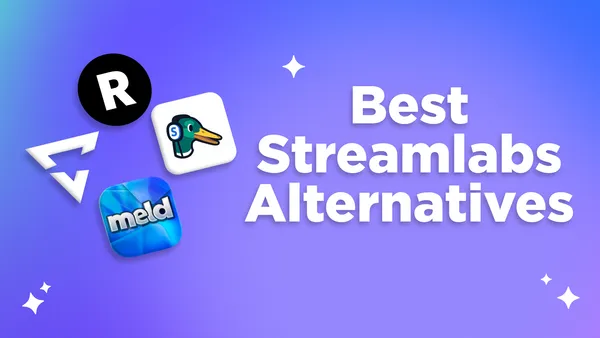
While Streamlabs has been a popular streaming software for years, many streamers are seeking alternatives due to performance issues, high resource usage, or simply wanting better features. Whether you're streaming on a console, need professional streaming tools, or want to stream to multiple platforms simultaneously (a growing request, btw!), there may be better alternatives out there for you.
These four Streamlabs alternatives all have something to offer depending on a streamer's needs. Because Streamlabs uses the same coding as OBS, we are leaving them off of this list. Let's dive into what makes these alternatives special to finding your perfect streaming setup.
Meld Studio - Best Overall Software
Best for: Streamers who want modern, free desktop streaming software without the bloat
If you're tired of software eating your computer's resources, Meld Studio might be exactly what you need. Meld was built with a modern rendering engine and offers high-end features like native multi-streaming, built-in pro effects, and a unified multi-chat that is entirely free. While Streamlabs can feel like a heavy, resource-intensive skin on top of OBS, Meld provides a sleek, lightweight experience with an intuitive UI making it feel more like a modern creative suite rather than a clunky tool.
Why Streamers Choose Meld Studio
- No watermarks or feature limitations
- Apple Silicon optimized for Mac users
- All-in-one tool with built-in effects, widgets, and transitions
- Multi-canvas so you can stream in Landscape and Portrait (vertical)
- Has a "one-click" OBS Importer Tool built-in
- One unified chat for integrated platforms
The Downsides of Meld Studio
- No plugins since everything is built-in
- Less third-party integrations compared to OBS & Streamlabs
- Some advanced features are still in development
Lightstream - Great for Console Streams
Best for: PS5, Xbox, and mobile streamers who don't want to buy expensive capture cards
Lightstream lets you stream directly from your PlayStation or Xbox without spending extra money on a capture card. Everything runs in a web browser through their cloud servers, so you can add overlays, alerts, and scenes to your console streams without any extra hardware.
Why Console Streamers Love Lightstream
- Stream PS5, Xbox Series X/S, or mobile games without capture cards
- Add professional overlays and alerts directly from your browser
- Works on any computer since it's cloud-based
- Super easy to set up with zero installations
- Mobile app lets you manage stream on the go
The Downsides of Lightstream
- Your streaming quality depends on your internet connection
- Fewer customization options compared to desktop streaming software
- Free plan only allows 720p 30fps streaming
- Limits to how long you are live with the free plan
StreamYard
Best for: Content creators who host interviews, panel discussions, or professional live shows
If you've ever watched a live podcast or interview and wondered "how do they make it look so good?", there's a chance they're using StreamYard. This platform is browser-based which makes it easy to bring guests onto your stream and create broadcast-quality content without the technical headaches.
What streamers enjoy with StreamYard is how simple it is to bring on guests. Instead of making them download software or figure out complicated setups, you send them a link and they're good to go.
Why StreamYard is Perfect for Professional Content
- Guests join with a browser link
- Stream to multiple platforms simultaneously
- Display live comments from your platforms in one place
- Overlays and branding options built-in
- Record everything locally while you stream
The Downsides of StreamYard
- Not ideal for gaming streamers
- Free version comes with a watermark
- Can be expensive for solo creators
- Less variety compared to traditional streaming software
Restream
Best for: Streamers who want to broadcast to multiple platforms simultaneously (Twitch, YouTube, TikTok, etc.)
Restream lets you broadcast to multiple platforms at the same time. Instead of choosing between Twitch, Kick or YouTube, you can stream to them all with a single stream (be sure to adhere to each platform's TOS). Instead of going live on one platform at a time at different times, you can grow everywhere simultaneously.
Why Multi-Platform Streamers Choose Restream
- Stream to multiple platforms at once
- Unified chat combines comments from all platforms
- Works with OBS, Streamlabs, or as a standalone studio
- Built-in analytics to track performance
The Downsides of Restream
- Free version has limited features such as 720p streaming only and a watermark
- Streaming to multiple platforms uses more upload bandwidth
- Not as feature-rich as dedicated streaming software
- Advanced analytics are locked behind higher-tier plans
Which Alternative is Right For You?
After checking out all of these streaming alternatives, which one do you believe is the best fit for your needs? Choosing what's right isn't about finding the one with the most buttons, but about finding the one that works with your workflow so you can focus on your content.
- If You're a Console Gamer: If you're creating content by streaming straight from a PS5 or Xbox and want to avoid buying a capture card, Lightstream is going to be your best bet.
- For the Talk Show Host: If you're making content driven by interviews and guests, the browser-based simplicity of StreamYard is a great option.
- For the Browser-based Multi Streamer: If your main goal is to stream everywhere and keep it browser-based, then Restream will do just that.
- For the Best Overall Experience: If you want modern, easy, and does what the others do, then Meld Studio is the clear choice for 2026.
Quick Comparison: Streamlabs Alternatives
| Streaming Software | Best Use Case | Starting Price | Key Feature |
|---|---|---|---|
| Lightstream | Console streaming | Free | No capture card needed |
| StreamYard | Podcasts | Free | Easy guest integration |
| Restream | Multi-platform reach | Free | Stream to 30+ platforms |
| Meld Studio | All-in-One streaming | Free | Modern, lightweight desktop app |
While Streamlabs has been an option for years, the industry continues to evolve and with it comes newer and better options. Whether you're looking for a cloud-based option or a whole new Studio, now is the time to upgrade your content.
Conclusion
In an industry where streaming and creating content is different for everyone, having options is important. Every option on this list has a free version so you're able to test them risk-free.
Whatever you choose, remember that the best streaming software is the one you'll get the most use out of with your content. Don't get caught up in having every possible feature if you're not going to use them. Sometimes simple and reliable beats complex and feature-heavy.
If you're brand new to streaming, you might want to also check out some beginner streaming guides. When you're ready to try a new streaming setup, download any of these alternatives and give them a test for your next stream.
FAQ
What is the best free alternative to Streamlabs?
Meld Studio is currently the best completely free alternative. It offers no watermarks, no feature limitations, and includes all essential streaming tools.
Can I stream to multiple platforms without paying?
Yes! Restream allows you to stream to 2 platforms on the free plan, while Meld Studio allows for unlimited platforms.
Do I need a capture card to stream from PlayStation or Xbox?
Not if you're using Lightstream. It connects directly to your console through the cloud, allowing you to add overlays and alerts without any capture card hardware required.
Can these alternatives handle 1080p 60fps streaming?
Yes, but most of them require a paid plan. Meld Studio allows it for free.
Which platform is best for podcast style content?
StreamYard is designed for this type of content.
Are there any hidden costs with these alternatives?
Meld Studio has free streaming with no hidden costs. Lightstream, StreamYard, and Restream all offer transparent pricing with clearly defined free and paid tiers.
Can I import my OBS scenes into any of these alternatives?
Meld Studio has a built-in OBS Importer Tool that will transfer your existing scenes and sources.